Learning how to schedule appointment can save time, reduce stress, and make everyday planning much easier. Whether you need to meet a doctor, speak with a professional, visit a salon, attend a business meeting, or arrange a service, choosing the right appointment time helps everything run smoothly.
Today, most appointments can be scheduled online, by phone, through email, or with a dedicated booking system. However, the process can still feel confusing when you need to compare availability, choose a suitable time, provide personal information, and confirm the booking.
This guide explains how to schedule an appointment efficiently. You will also learn what information to prepare, how to choose the best time, how to avoid common scheduling mistakes, and what to do after your appointment is confirmed.
What Does It Mean to Schedule an Appointment?
To schedule an appointment means to arrange a specific date and time for a planned meeting, consultation, visit, or service. The appointment may be arranged with an individual, business, healthcare provider, consultant, or service professional.
For example, you might schedule an appointment with a dentist for a routine checkup. You could also schedule a business appointment with a client, book a consultation with a professional, or arrange a personal service such as a haircut.
The main goal is simple: both sides agree on when the appointment will take place and, when necessary, where or how it will happen.
Why Is It Important to Schedule Appointments Properly?
Good appointment scheduling is more than simply selecting an available time. A well-planned appointment helps you manage your day and arrive prepared.
- Save time: You know exactly when the meeting or service will happen.
- Reduce waiting: A confirmed appointment can reduce unnecessary waiting time.
- Stay organized: Your appointments can be tracked in a calendar or planner.
- Improve communication: Everyone understands the agreed date and time.
- Prepare in advance: You have time to gather documents, questions, or other materials.
- Avoid conflicts: Checking your schedule first helps prevent double booking.
For busy people, an organized appointment calendar can make a significant difference. It creates a clear overview of upcoming commitments and makes it easier to manage work, family, and personal activities.
How to Schedule an Appointment Step by Step
1. Decide What Type of Appointment You Need
Before booking a time, identify the purpose of your appointment. This helps you choose the correct service or department.
For example, a medical clinic may have different appointment types for general consultations, follow-up visits, testing, and specialist care. Similarly, a business may offer different consultation options depending on the customer’s needs.
Knowing the purpose beforehand can make the scheduling process faster and more accurate.
2. Check Your Availability
Look at your calendar before selecting an appointment time. Consider your work schedule, travel time, family responsibilities, and other commitments.
Do not choose a time simply because it is available. Make sure you can realistically arrive on time and complete the appointment without rushing.
3. Choose a Convenient Date and Time
When you schedule an appointment online, you may see several available time slots. Choose a time that fits comfortably into your day.
If you need to travel, allow extra time for transportation, parking, traffic, or unexpected delays. For virtual appointments, check your internet connection and make sure you have access to the required application.
4. Provide the Required Information
Most appointment systems ask for basic information. Depending on the service, you may need to provide:
- Full name
- Phone number
- Email address
- Preferred appointment date
- Preferred appointment time
- Appointment type or reason
- Additional notes or special requests
Enter the information carefully. A small error in your phone number or email address could prevent you from receiving an appointment confirmation or reminder.
5. Review the Appointment Details
Before clicking the final confirmation button, review everything carefully. Check the date, time, location, service type, and contact information.
If the appointment is online, check whether the confirmation includes a video meeting link or instructions. If it is an in-person appointment, confirm the correct address and any arrival instructions.
6. Confirm the Appointment
Once all details are correct, confirm the booking. Depending on the system, you may receive confirmation by email, text message, phone call, or an online notification.
Keep the confirmation until the appointment has been completed. It may contain important information about cancellation policies, arrival times, payment requirements, or documents you need to bring.
Different Ways to Schedule an Appointment
Schedule an Appointment Online
Online booking is one of the most convenient ways to schedule an appointment. Many businesses provide an online calendar where customers can view available dates and times.
The process is usually straightforward: select a service, choose a date, select a time, enter your details, and confirm the booking.
Online appointment scheduling is especially useful because you can often book outside normal business hours.
Schedule an Appointment by Phone
Phone scheduling remains useful when you have specific questions or need assistance choosing the right service. It can also be helpful when an online booking system does not show the availability you need.
Before calling, prepare your preferred dates and times. Also keep your basic contact information nearby so the process can move quickly.
Schedule an Appointment by Email
Email can be a good option for professional meetings, consultations, and services that require additional details.
When requesting an appointment by email, clearly state the purpose of your request and provide several possible dates or time ranges. This gives the recipient more flexibility when checking their calendar.
Tips for Choosing the Best Appointment Time
The best appointment time depends on your schedule, the type of appointment, and the amount of preparation required. A few simple habits can make scheduling easier.
- Check your calendar first. Avoid booking over another commitment.
- Consider travel time. Add a reasonable buffer before and after the appointment.
- Avoid unnecessary rushing. Choose a time that gives you enough preparation time.
- Think about your energy level. Important meetings may be easier when you are focused and alert.
- Use reminders. Set a notification several hours or days before the appointment.
- Keep confirmation details. Save emails, messages, or booking numbers.
How to Avoid Common Appointment Scheduling Mistakes
Even a simple appointment can become inconvenient when important details are overlooked. Fortunately, most scheduling problems are easy to prevent.
Double Booking
Double booking happens when two appointments are scheduled for the same time. Always check your calendar before confirming a new appointment.
Choosing Too Little Travel Time
If you need to travel, do not schedule appointments too close together. Traffic, parking, public transportation, or unexpected delays can make you late.
Forgetting the Time Zone
Time zones matter when scheduling virtual meetings with people in different locations. Confirm the time zone before accepting the appointment.
Not Checking the Cancellation Policy
Some businesses require advance notice when you need to cancel or reschedule. Read the cancellation policy before confirming the appointment so you understand any applicable requirements.
Forgetting the Appointment
A confirmed appointment is easy to forget when your schedule is busy. Add it to your digital calendar or use a printable appointment planner. Setting a reminder can also help you stay on track.
How to Reschedule an Appointment
Sometimes your plans change. If you cannot attend an appointment, contact the provider as soon as possible.
When requesting a new appointment time, explain that you need to reschedule and provide alternative dates or times. Giving several options can make it easier to find a new opening.
If the appointment was booked online, look for a reschedule appointment or manage booking option in your confirmation email. Some scheduling systems allow you to change the appointment without contacting the business directly.
How Appointment Scheduling Templates Can Help
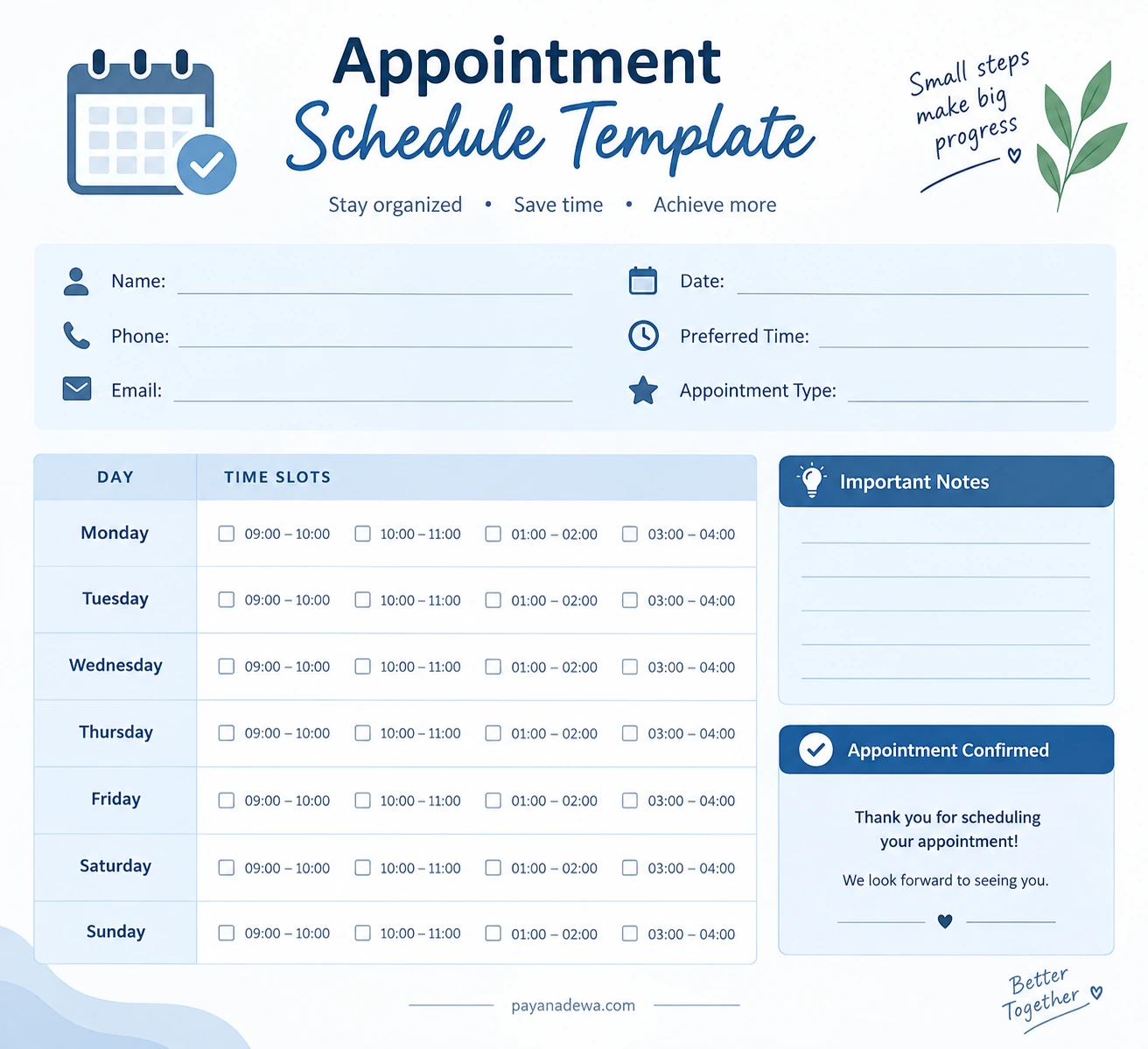
A printable appointment schedule template can be useful when you prefer a simple visual planning system. Instead of relying only on digital notifications, you can write down appointment details and see your available time slots at a glance.
A useful template may include fields for your name, date, phone number, email address, preferred time, appointment type, and important notes. Weekly time-slot sections can also make it easier to compare your availability.
This type of planner can be particularly helpful for freelancers, small business owners, families, students, service providers, and anyone who manages several appointments throughout the week.
Best Practices for Efficient Appointment Scheduling
If you schedule appointments regularly, create a simple routine. Start by reviewing your calendar at the beginning of each day or week.
- Keep all appointments in one primary calendar.
- Use reminders for important bookings.
- Leave buffer time between appointments when possible.
- Record addresses, meeting links, and contact information.
- Review upcoming appointments regularly.
- Cancel or reschedule appointments promptly when plans change.
- Keep a printable schedule for quick reference when useful.
These small habits can reduce scheduling conflicts and help you manage your time more effectively.
Frequently Asked Questions About Scheduling an Appointment
What information do I need to schedule an appointment?
Most appointments require your name and contact information, along with your preferred date, time, and appointment type. Some services may request additional information depending on the purpose of the appointment.
Can I schedule an appointment online?
Yes. Many businesses and professionals offer online appointment scheduling. You can usually select a service, choose an available time, provide your details, and receive a confirmation electronically.
How far in advance should I schedule an appointment?
It depends on the service and availability. For popular services or appointments that require preparation, booking earlier can provide more options. For routine services, a shorter lead time may be sufficient.
What should I do if I cannot attend my appointment?
Contact the provider as soon as possible. Ask whether you can cancel or reschedule the appointment, and check whether any cancellation policy applies.
How can I remember my appointments?
Use a calendar, scheduling app, reminder notification, or printable appointment planner. For important appointments, consider setting more than one reminder.
Conclusion
Knowing how to schedule appointment effectively can make your day more organized and reduce unnecessary stress. The process starts with identifying the purpose of the appointment, checking your availability, selecting a practical time, providing accurate information, and confirming the details.
Whether you schedule appointments online, by phone, by email, or with a printable planner, the most important habit is to keep your schedule clear and up to date. Take a few moments to review your appointments regularly, allow enough time between commitments, and use reminders whenever necessary.
With a simple and consistent scheduling routine, you can manage appointments more confidently while making better use of your time.