A tree organizational chart is a visual diagram that shows how people, teams, and departments are connected within an organization. Its branching structure makes it easy to understand reporting relationships, identify leadership roles, and see how responsibilities are distributed throughout a company. Whether you manage a small business, a growing startup, a school, or a large corporation, a tree organizational chart can help you communicate your organizational structure clearly.
With a well-designed tree organizational chart template, you can map positions from top-level leadership to individual team members without making the information difficult to follow. This guide explains what a tree organizational chart is, its benefits, common layouts, and practical steps for creating a professional chart that suits your needs.
If you need a starting point, use a printable tree organizational chart template to visualize your management hierarchy, organize departments, and customize reporting lines for your organization.
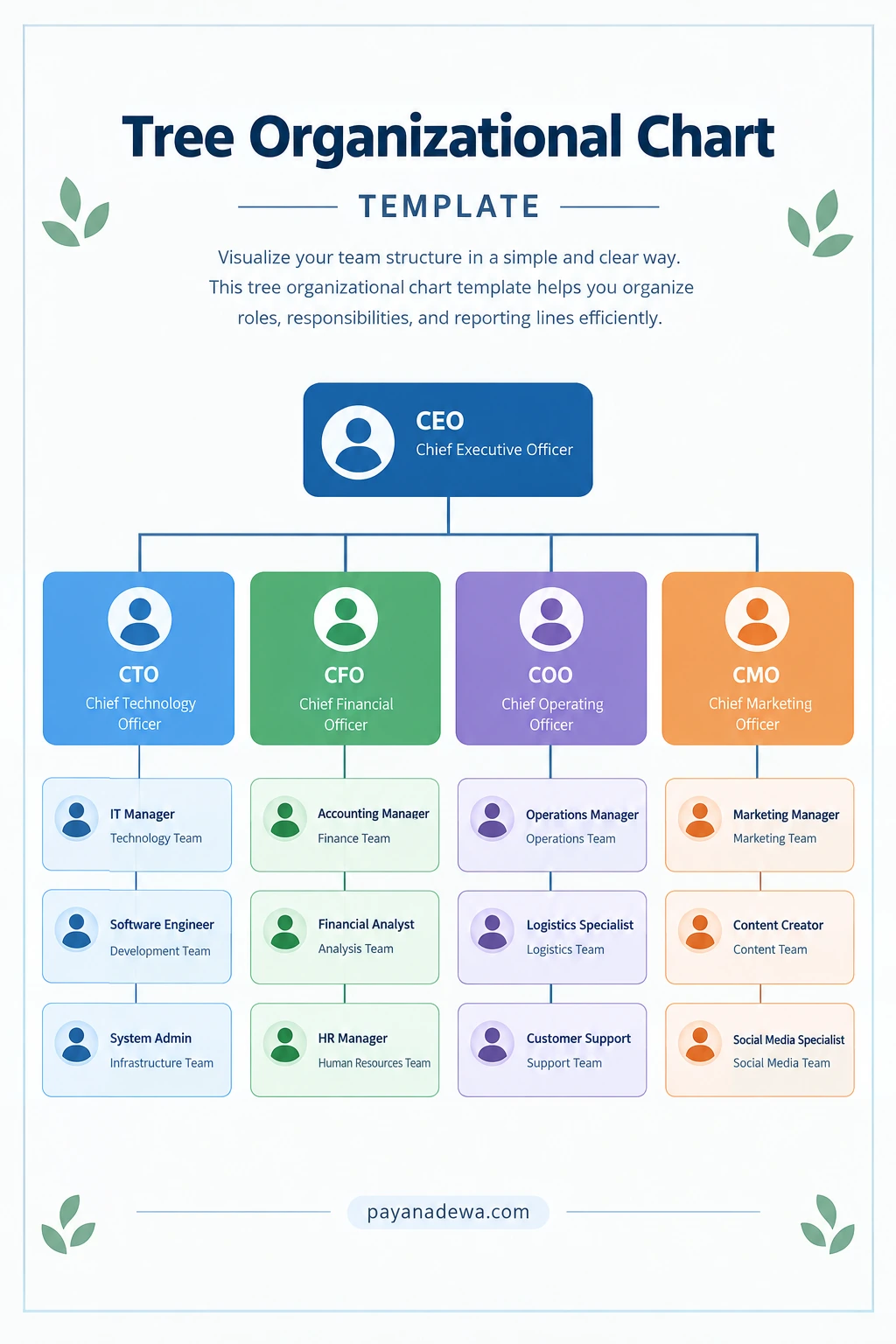
What Is a Tree Organizational Chart?
A tree organizational chart is an organizational diagram that represents a company’s hierarchy using a branching structure. The highest-ranking position usually appears at the top, with managers, departments, and employees arranged beneath it. Lines connect each level to show who reports to whom.
The layout resembles an upside-down tree: a single starting point branches into several divisions, and each division may branch into smaller teams or individual roles. This visual arrangement makes complex reporting relationships easier to understand than a long list of job titles.
A tree organizational chart can include information such as:
- Executive leadership and senior management positions.
- Departments, divisions, and business units.
- Managers, supervisors, and team leaders.
- Employee names, job titles, and responsibilities.
- Direct reporting relationships between positions.
Although many companies use a traditional top-down hierarchy, the chart can be adapted to reflect different management structures. The goal is to present the organization’s relationships accurately and make the information easy to scan.
Benefits of Using a Tree Organizational Chart
A clear organizational chart is more than a visual document. It can support communication, workforce planning, onboarding, and day-to-day decision-making.
1. Clarifies Reporting Relationships
Employees can quickly identify their direct managers and understand where their roles fit within the organization. Clear reporting lines reduce confusion when someone needs approval, guidance, or assistance from another department.
2. Improves Communication Between Teams
When departments and leadership roles are visible, employees can better understand how teams connect. A tree organizational chart also helps people identify the appropriate contact for questions, project coordination, and cross-functional collaboration.
3. Supports Employee Onboarding
New employees often need time to learn the company’s structure. An organizational chart gives them a useful overview of leadership, departments, and team responsibilities. It can be included in onboarding materials, employee handbooks, or internal training documents.
4. Helps Identify Organizational Gaps
Mapping positions visually can reveal unclear responsibilities, overlapping management roles, or departments with unusually large reporting groups. Leaders can use these observations to review staffing needs and improve the allocation of responsibilities.
5. Makes Organizational Changes Easier to Communicate
Businesses evolve as they hire employees, introduce new departments, or change management responsibilities. Updating a tree organizational chart provides a simple way to communicate these changes and keep everyone informed.
Common Types of Tree Organizational Charts
Not every organization has the same management structure. Choosing an appropriate layout helps ensure that your chart reflects how your organization actually operates.
Hierarchical Tree Organizational Chart
A hierarchical organizational chart places the CEO or highest-ranking leader at the top, followed by executives, department managers, supervisors, and employees. It works well for companies with clear authority levels and formal reporting relationships.
Department-Based Organizational Chart
This format groups employees under departments such as Finance, Marketing, Operations, Human Resources, and Information Technology. It is useful for organizations that divide responsibilities according to specialized functions.
Small Business Organizational Chart
A small business chart usually has fewer levels and simpler reporting lines. The owner or managing director may oversee several employees directly, making a compact tree structure sufficient for communicating responsibilities.
Project Team Organizational Chart
A project-based chart displays project leadership, coordinators, specialists, and supporting team members. It can be helpful when several departments contribute to a shared objective. If employees report to multiple project leaders, consider showing dotted lines or adding notes to distinguish project coordination from formal management.
What to Include in a Tree Organizational Chart Template
A useful tree organizational chart template should contain enough information to explain the structure without overcrowding the page. Start with the essential details and add other information only when it improves understanding.
- Organization name: Identify the company, school, nonprofit, or team represented.
- Leadership position: Place the CEO, owner, principal, or equivalent leader at the top when appropriate.
- Department names: Label major divisions so viewers can distinguish their functions.
- Job titles: Use accurate titles to clarify each person’s role.
- Employee names: Add names when the chart is intended for internal use and the information is appropriate to share.
- Connecting lines: Show formal reporting relationships consistently.
- Last updated date: Include a date to help readers determine whether the information is current.
For a public-facing document, consider displaying job titles instead of employee names. This approach can reduce maintenance work when staff members change positions and helps avoid unnecessary disclosure of personal information.
How to Create a Tree Organizational Chart
You can create an organizational hierarchy from scratch or customize an existing organizational chart template. Follow these steps to build a chart that is accurate, readable, and easy to maintain.
Step 1: Define the Purpose
Decide what the chart needs to communicate. An internal employee directory may require names and contact information, while a management overview may focus on departments, leadership positions, and reporting lines. Defining the purpose helps you choose the right level of detail.
Step 2: Gather Organizational Information
Collect current job titles, department names, management responsibilities, and reporting relationships. Confirm the information with relevant managers or your human resources team before designing the chart. Accurate source information is essential because a visually attractive chart is not useful if its hierarchy is incorrect.
Step 3: Establish the Main Hierarchy
Identify the highest-level position and arrange the next management level beneath it. Continue adding departments, managers, and individual contributors according to the organization’s actual reporting structure. Avoid adding unnecessary levels simply to make the chart look more elaborate.
Step 4: Choose a Suitable Layout
Use a top-down tree layout for a conventional hierarchy. If the organization has many departments, consider creating separate departmental charts linked to a company-wide overview. This keeps the main diagram readable while preserving important details.
Step 5: Design the Visual Elements
Use consistent box sizes, readable fonts, and evenly spaced branches. Apply colors to distinguish departments when helpful, but do not rely on color alone to communicate meaning. Ensure the chart remains understandable when printed in grayscale or viewed by people with color-vision deficiencies.
Step 6: Review and Validate the Chart
Ask department leaders or other relevant reviewers to verify the reporting relationships and job titles. Check that each connector leads to the correct position, that labels are legible, and that no department or role has been accidentally omitted.
Step 7: Export and Maintain the Document
Save an editable version so you can update the chart later. Export a PDF for consistent printing and distribution, or use an image format when you need to insert the chart into a presentation or webpage. Establish a regular review schedule so the document remains useful as the organization changes.
Practical Tips for a Professional Organizational Chart
Good design makes a tree organizational chart easier to understand. Keep these practical recommendations in mind when creating or customizing your template.
- Keep the hierarchy consistent: Arrange positions at the same level according to their actual organizational relationships.
- Use concise labels: Prefer recognizable job titles and short department names over lengthy descriptions.
- Avoid overcrowding: Split a very large organization into multiple charts instead of shrinking text until it becomes difficult to read.
- Maintain visual consistency: Use a consistent font, spacing system, and connector style throughout the document.
- Choose accessible colors: Maintain sufficient contrast between text and background, and use labels as well as colors.
- Protect sensitive information: Share employee details only with the intended audience and follow your organization’s privacy policies.
- Assign an owner: Make a specific person or department responsible for reviewing and updating the chart.
Common Mistakes to Avoid
Even a simple organizational diagram can become misleading when it is poorly planned. One common mistake is confusing seniority with reporting authority. A senior specialist, for example, may not manage the employees shown nearby. Always base connecting lines on actual reporting relationships rather than job-title prestige.
Another mistake is displaying too much information in a single chart. Detailed job descriptions, personal contact details, and lengthy notes can overwhelm the layout. Keep the chart focused on structure and store additional information in a separate directory or document.
Finally, avoid treating an organizational chart as a permanent record. Positions, teams, and responsibilities change over time. An outdated diagram may send employees to the wrong manager or create confusion about decision-making authority. Review the chart whenever significant organizational changes occur.
When Should You Update a Tree Organizational Chart?
Review your tree organizational chart whenever a change affects the way people or departments report to one another. Typical situations include hiring a new executive, promoting a manager, creating a new department, merging teams, or restructuring responsibilities.
For organizations with frequent staff changes, a monthly or quarterly review may be appropriate. Smaller organizations with stable structures may need less frequent reviews. Regardless of the schedule, update the chart promptly after significant changes and make sure the latest version is easy for authorized employees to find.
Conclusion
A tree organizational chart provides a clear, practical way to visualize leadership, departments, employee roles, and reporting relationships. It can improve communication, simplify onboarding, support workforce planning, and make organizational changes easier to explain.
Start by defining your chart’s purpose, verifying the reporting structure, and selecting a layout that matches your organization’s size and complexity. Use consistent formatting, readable labels, and accurate connecting lines to create a professional result. With regular updates, a well-maintained tree organizational chart template can remain a valuable resource for employees, managers, and business leaders.
Use the Tree Organizational Chart Template from payanadewa.com as a starting point, then customize its positions, departments, colors, and labels to suit your needs.