A photo calendar is a practical way to organize your year while keeping your favorite memories close. Instead of looking at a plain grid of dates, you can enjoy family portraits, travel snapshots, pictures of pets, or meaningful moments every month. Whether you want to make a thoughtful gift, decorate your home office, or plan a busy household schedule, a personalized photo calendar combines everyday usefulness with a personal touch.
Creating one is easier than it may seem. With a clear theme, good-quality photographs, and a little attention to layout, you can design a calendar that looks polished and remains easy to read. This guide explains how to choose photos, select a format, prepare your images for printing, and make a photo calendar that suits your needs.
What Is a Photo Calendar?
A photo calendar is a wall, desk, or digital calendar that pairs dates with personal or themed photographs. Many designs use one large image per month, while others feature a collage, a photo strip, or a collection of smaller pictures. The calendar can be personalized with birthdays, anniversaries, holidays, reminders, and other important dates.
Photo calendars are popular because they serve two purposes: they help you stay organized and display images that matter to you. They can also be customized for different occasions, from a family keepsake to a business-branded calendar for clients.
Why Make a Personalized Photo Calendar?
A meaningful gift for any occasion
A custom calendar can make a thoughtful birthday, holiday, wedding, anniversary, or housewarming gift. Choose photographs that reflect shared experiences, such as family gatherings, trips, celebrations, or everyday moments. Adding important dates makes the gift even more personal.
An easy way to display favorite memories
Rather than leaving photographs stored on a phone, you can enjoy them throughout the year. A wall calendar can brighten a kitchen or workspace, while a compact desk calendar is ideal for a home office. Choose a format that gives your photos enough space without crowding the dates.
A useful planning tool
Personalization does not have to come at the expense of practicality. Mark birthdays, school events, appointments, project deadlines, and family activities directly on the calendar. If several people share a household calendar, use simple color coding or short labels to make events easier to scan.
Popular Photo Calendar Formats
Wall photo calendar
A wall calendar offers plenty of room for a large photograph and a clear monthly date grid. It works well in kitchens, family rooms, offices, and shared spaces. Before designing one, decide where it will hang and measure the available area so the finished calendar fits comfortably.
Desk photo calendar
A desk calendar is smaller and designed to sit on a table, shelf, or workstation. It is a good option for people who want dates within easy reach without using wall space. Select photos that remain recognizable at a smaller size and keep the date numbers legible.
Year-at-a-glance photo calendar
A yearly overview places all twelve months on a single page. This format is useful for long-term planning, classroom displays, project schedules, or a simple printable keepsake. Because the date boxes are compact, use a clean layout and avoid adding too much decorative text.
Digital photo calendar
A digital calendar can be used as a desktop background, tablet display, or shareable file. It is convenient when you want to update dates or distribute the design online. Check the dimensions and screen ratio of the device where it will be displayed to avoid awkward cropping.
How to Create a Photo Calendar Step by Step
1. Choose a theme
Start with a simple concept. You might use family photos, seasonal landscapes, a year of pet pictures, favorite travel destinations, or images from a special event. A consistent theme helps the calendar feel intentional, but the photographs do not need to look identical. A shared color palette or similar editing style can bring different images together.
2. Select twelve strong photos
For a traditional monthly calendar, choose one main image for each month. Match photographs to the season where it makes sense: spring flowers, summer adventures, autumn colors, or winter scenery. You can also arrange the images chronologically to tell the story of a year.
- Choose sharp, well-lit photographs with a clear subject.
- Use a mix of close-ups, portraits, and wider scenes to create variety.
- Avoid images that are heavily pixelated, blurry, or too dark.
- Keep a backup copy of the original files before editing.
- Make sure you have permission to use photographs that belong to someone else.
3. Pick a layout and calendar size
Choose a layout that balances the photo area with the date grid. A large monthly image suits a wall calendar, while a one-page annual template needs smaller photographs and compact date boxes. Leave enough white space around headings and numbers so the page does not feel crowded.
4. Add dates and personal reminders
Confirm the year before entering dates. Check the weekday alignment and the number of days in every month, especially February in a leap year. Add recurring birthdays, anniversaries, holidays, or other reminders only after the calendar grid is correct. If you plan to share or sell the calendar, verify which holidays apply to your intended audience.
5. Refine the design
Use no more than two or three complementary fonts. Make month names prominent and keep date numbers consistent in size and spacing. A small accent color can highlight Sundays, special occasions, or key dates, but the text should still be readable in grayscale if someone prints it without color.
6. Preview and export
Review the complete calendar at its intended size before printing or sharing. Check for cropped photos, missing dates, spelling errors, uneven margins, and text that is too small. For a printed calendar, follow the print provider’s specifications for page size, resolution, bleed, and file format. Save an editable version as well as the final export so you can correct mistakes later.
Photo Calendar Design Tips for a Professional Result
- Prioritize readability: Dates should be easy to distinguish from headings and decorative elements.
- Keep the style consistent: Repeat the same spacing, border treatment, and typography from month to month.
- Use high-resolution images: Images that look clear on a phone may appear soft when enlarged for print.
- Leave safe margins: Keep important faces, captions, and dates away from edges that could be trimmed or hidden by binding.
- Choose colors with enough contrast: Pale text on a pale background can be difficult to read.
- Consider accessibility: Do not rely on color alone to communicate important information; use labels or symbols where appropriate.
- Proofread every month: A visually attractive calendar is only useful if the dates are accurate.
Preparing Photos for Printing
Print quality depends on both the image file and the final physical size. Use the largest suitable original photo rather than a small image downloaded from a messaging app or social media feed. If the photo must be cropped, keep the main subject inside the safe area and preview the crop in the actual calendar layout.
Many print projects use images prepared at around 300 pixels per inch at final size, but the best settings depend on the printer and product. Follow the printer’s requirements instead of assuming one resolution or file format works for every service. If the calendar includes full-bleed photos, confirm whether extra bleed is needed around the page edges.
Before ordering multiple copies, print a test page if possible. Check skin tones, shadow detail, small text, and whether the paper makes colors look warmer or cooler than they do on screen. A quick proof can prevent expensive mistakes.
Common Photo Calendar Mistakes to Avoid
- Using too many decorative elements: Stickers, patterns, and multiple fonts can distract from the photos and dates.
- Ignoring the crop: A photo may look good on screen but cut off a face when placed into a fixed frame.
- Making the date grid too small: A calendar should be functional at a glance, not just attractive.
- Forgetting date checks: Always verify weekdays, month lengths, and leap-year rules for the selected year.
- Leaving no room for notes: If users need to write appointments by hand, provide enough space in each date box.
- Skipping the final proof: Inspect the exported file, not only the editable design, because export settings can affect spacing and quality.
Using a Printable Photo Calendar Template
A printable photo calendar template is a helpful starting point when you want a neat design without building every element from scratch. Look for a template with editable photo areas, clearly labeled months, readable date boxes, and enough room for the information you need. Replace sample images with your own photos, then review the layout carefully before printing.
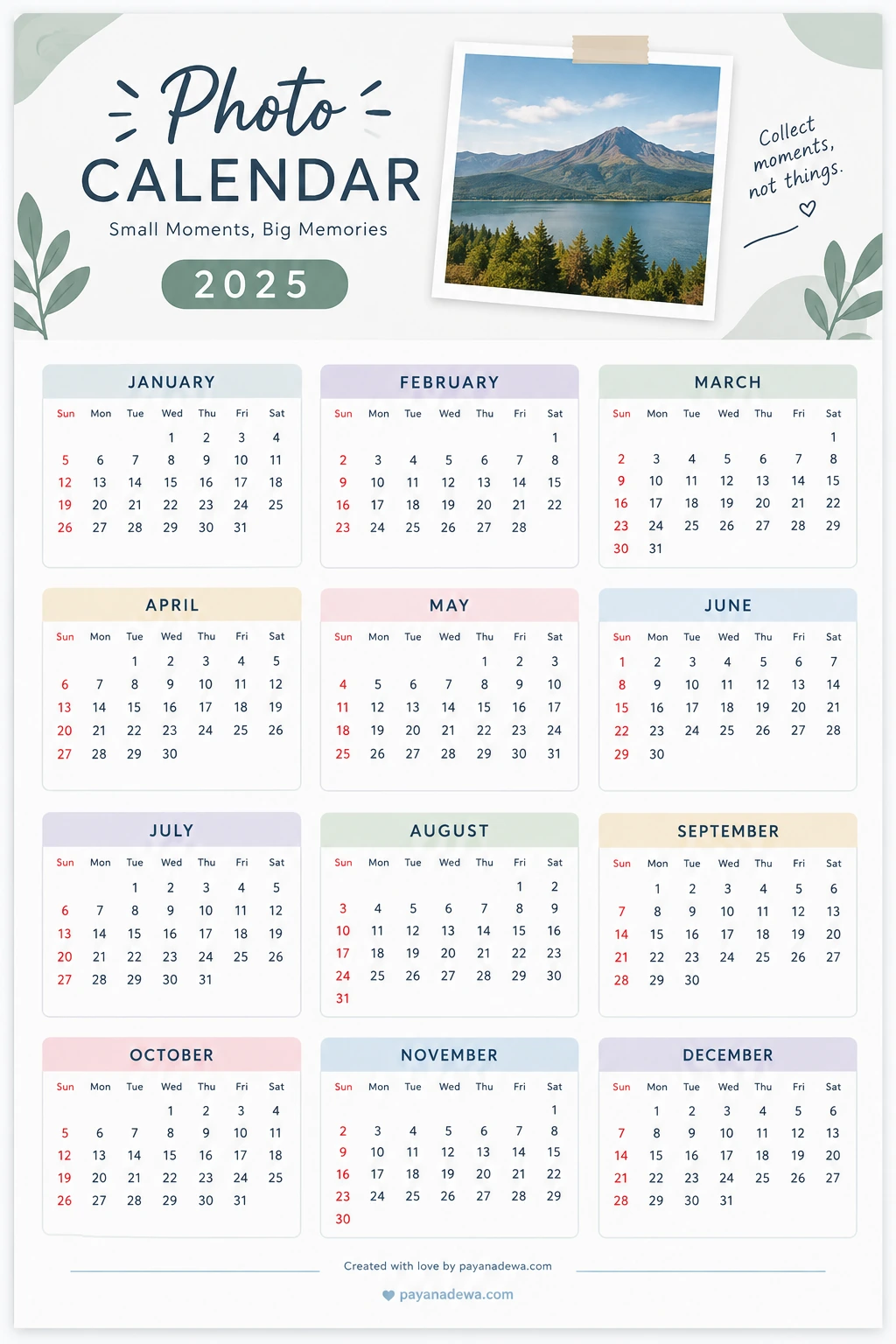
The sample template below uses a clean, printable style with a featured photograph, soft pastel accents, and a twelve-month overview. It can serve as visual inspiration for a personal project. Because calendar artwork can contain date-layout errors, always verify the year and every date before relying on a template for scheduling.
Frequently Asked Questions
What photos work best in a photo calendar?
Use clear, high-resolution photos with good lighting and a strong subject. Family portraits, travel scenes, pets, landscapes, and milestone moments all work well. Choose images that fit the crop and layout of the calendar.
Can I make a photo calendar at home?
Yes. You can design a calendar using a template or design application and print it on a home printer. Choose paper that suits your printer, check the print settings, and test one page before producing the full calendar.
How many photos do I need?
A standard monthly photo calendar often uses twelve main photos, one for each month. Some formats include extra images for the cover or use several smaller photos per month, so the exact number depends on your design.
What should I check before printing?
Confirm the calendar year, weekday alignment, month lengths, image resolution, page size, margins, and spelling. If you are using a print service, follow its file preparation guidelines and review a proof when available.
Conclusion
A photo calendar turns favorite pictures into something you can enjoy throughout the year while keeping important dates visible. Choose a theme, select clear photographs, use a layout that fits your space, and make readability a priority. Before printing, double-check every date and review the final file at its intended size. With a little planning, your personalized photo calendar can be both a practical organizer and a meaningful keepsake.