ERP, or Enterprise Resource Planning, is a business management approach supported by software that connects different departments through one integrated system. It helps organizations manage information, automate processes, improve productivity, and make better business decisions.
Whether you operate a small business, a growing company, or a large enterprise, understanding ERP can help you identify opportunities to improve operations. In this guide, you will discover what ERP means, how it works, its main features, its benefits, and how to choose the right solution for your organization.
What Is ERP?
ERP stands for Enterprise Resource Planning. It refers to a system that integrates essential business processes into a centralized platform. Instead of maintaining separate databases for accounting, inventory, sales, and employee management, businesses can use ERP software to connect these functions.
For example, when a customer places an order, an ERP system can update inventory records, notify the sales department, generate relevant financial information, and support order fulfillment. This reduces the need for employees to enter the same information repeatedly.
Most modern ERP solutions use a shared database. As a result, authorized employees can access consistent information across different departments. Some platforms operate in the cloud, while others use on-premises infrastructure or a hybrid deployment model.
How Does an ERP System Work?
An ERP system works by connecting business departments and coordinating their activities through shared data and integrated workflows. Each department uses specific modules, but these modules communicate with one another.
For instance, consider a company that sells products online. When a customer completes a purchase, the ERP system can perform several connected actions:
- Record the customer order in the sales module.
- Check available stock in the inventory module.
- Update purchasing requirements if inventory is running low.
- Send order information to the warehouse for fulfillment.
- Record financial transactions in the accounting module.
- Update management reports with the latest business information.
Because the system shares information between modules, employees do not need to transfer data manually between disconnected applications. Furthermore, managers can review business performance using more consistent and up-to-date information.
Key Features and Modules of ERP Software
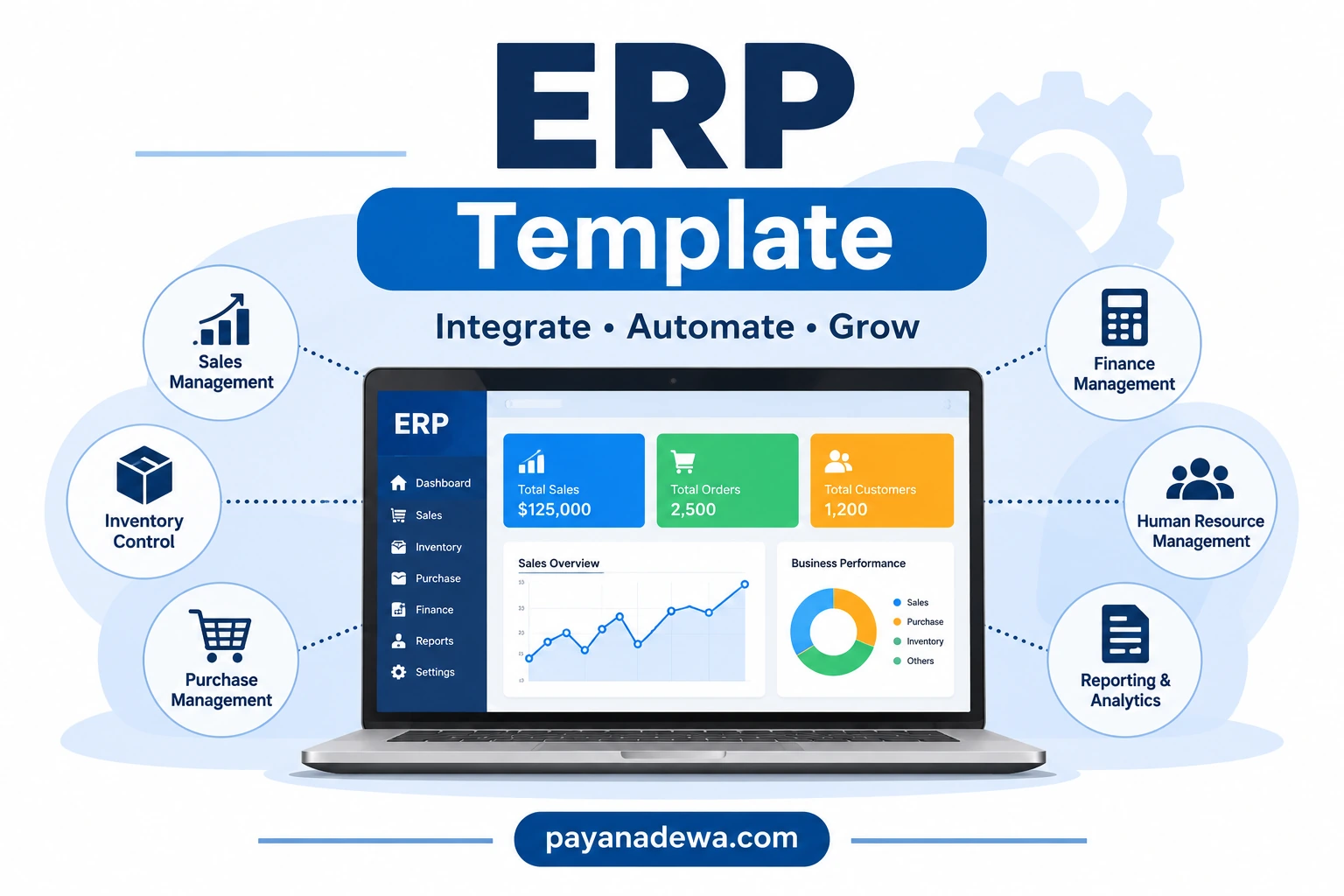
ERP software offers different modules depending on the organization’s size, industry, and operational requirements. However, most comprehensive solutions include several core business functions.
1. Financial Management
Financial management helps businesses monitor income, expenses, budgets, accounts payable, and accounts receivable. It can also support financial reporting, cash flow monitoring, and general ledger management.
By centralizing financial information, businesses can reduce manual calculations and improve financial visibility.
2. Inventory Management
Inventory management tracks products, stock levels, warehouse movements, and replenishment requirements. This module helps businesses understand what they have in stock and where products are located.
It can also support stock alerts, barcode integration, and inventory forecasting. Consequently, businesses can reduce stock shortages and avoid unnecessary excess inventory.
3. Sales and Customer Management
Sales management helps organizations handle customer orders, quotations, pricing, invoices, and sales performance. Depending on the platform, ERP software may also integrate with customer relationship management (CRM) tools.
This integration gives sales teams better access to customer information and order histories, helping them provide a more consistent customer experience.
4. Purchasing and Procurement
The purchasing module manages supplier information, purchase requests, purchase orders, and procurement activities. It helps businesses monitor supplier transactions and control purchasing costs.
In addition, purchasing workflows can connect with inventory levels to help purchasing teams identify when new stock is needed.
5. Human Resource Management
Human resource management modules support employee records, attendance, leave management, payroll processes, and workforce administration. Some systems also include recruitment and employee performance management features.
By organizing employee information in one platform, HR teams can simplify administrative work and improve access to workforce data.
6. Reporting and Analytics
Reporting and analytics tools transform business information into useful reports, dashboards, and performance indicators. Managers can use these insights to monitor sales, expenses, inventory, and operational efficiency.
Some ERP platforms also provide forecasting and advanced analytics capabilities, allowing organizations to identify trends and plan more effectively.
Benefits of Using ERP for Businesses
Implementing an ERP solution can create significant improvements in business operations. Although the results depend on implementation quality and organizational needs, several benefits are common across industries.
Improved Operational Efficiency
ERP automates repetitive activities and connects workflows between departments. Employees can spend less time entering information manually and more time focusing on tasks that contribute to business growth.
Better Data Accuracy and Visibility
A centralized database reduces duplicate records and helps departments work with consistent information. Therefore, managers can make decisions based on a clearer picture of business performance.
Reduced Operating Costs
Automation and improved resource management can help reduce administrative expenses, unnecessary inventory, and process inefficiencies. However, businesses should consider implementation, licensing, training, and maintenance costs when evaluating potential savings.
Stronger Business Decision-Making
ERP dashboards and reports help management identify performance trends and operational problems. With timely information, decision-makers can respond more effectively to changing business conditions.
Improved Collaboration
When departments share information through an integrated platform, communication becomes more consistent. Sales, finance, purchasing, and warehouse teams can coordinate their work without relying entirely on separate spreadsheets or disconnected applications.
Greater Business Scalability
As an organization expands, its processes become more complex. A suitable ERP platform can support additional users, locations, business units, and operational requirements as the company grows.
Types of ERP Deployment Models
Not every ERP solution uses the same deployment approach. Businesses should understand the available options before selecting a platform.
Cloud-Based ERP
Cloud ERP is hosted by a service provider and accessed through an internet connection. The provider typically manages infrastructure, system maintenance, and software updates.
This option can reduce the need for businesses to maintain their own servers. It may also provide flexible access for employees working from different locations.
On-Premises ERP
On-premises ERP is installed on an organization’s own servers and infrastructure. The company is responsible for managing system maintenance, security, upgrades, and technical resources.
This model can offer greater control over infrastructure and configuration. However, it generally requires more internal IT resources.
Hybrid ERP
Hybrid ERP combines cloud-based services with on-premises systems. It allows organizations to maintain certain applications locally while using cloud services for other business functions.
This approach can be useful for companies with specific infrastructure requirements or existing software investments.
How to Choose the Right ERP Software
Selecting an ERP platform requires careful planning. The best solution is not necessarily the one with the most features. Instead, it should support your business processes, budget, and long-term objectives.
Consider these practical steps before making a decision:
- Identify business requirements: List the operational problems you want to solve and the departments that need integration.
- Set a realistic budget: Consider subscription fees, implementation costs, customization, training, maintenance, and support.
- Evaluate essential features: Check whether the platform includes the financial, inventory, sales, purchasing, and HR functions you need.
- Check integration capabilities: Make sure the system can connect with existing applications, payment platforms, e-commerce tools, and other essential services.
- Review security controls: Evaluate access permissions, data protection, backup procedures, and compliance requirements.
- Consider scalability: Choose a solution that can accommodate future business growth without requiring an unnecessary replacement.
- Request a product demonstration: Test realistic business scenarios before committing to a vendor.
- Evaluate vendor support: Review implementation assistance, documentation, training, and ongoing technical support.
ERP Implementation: A Practical Step-by-Step Guide
Choosing suitable software is only one part of the process. Successful ERP implementation also requires clear objectives, employee involvement, and effective project management.
Step 1: Analyze Existing Business Processes
Start by reviewing how each department currently operates. Identify repetitive tasks, disconnected systems, reporting problems, and opportunities for improvement.
Step 2: Define Clear Implementation Goals
Establish measurable objectives, such as improving inventory accuracy, reducing order processing time, or shortening financial reporting cycles. These targets will help evaluate the project’s success.
Step 3: Select the Right ERP Vendor
Compare vendors based on functionality, pricing, industry experience, integration capabilities, security, and support. Choose a provider that understands your business requirements.
Step 4: Prepare and Migrate Data
Review existing records and remove outdated, duplicate, or incorrect information before migration. Test the migrated data carefully to ensure accuracy and completeness.
Step 5: Train Employees
Provide practical training for employees who will use the new system. Explain how their daily responsibilities will change and offer documentation or support during the transition.
Step 6: Test and Launch the System
Test important workflows before launching ERP across the organization. Resolve technical issues, verify user permissions, and prepare a support plan for the initial rollout.
Step 7: Monitor and Improve Performance
After implementation, measure results against the original objectives. Collect employee feedback, review system performance, and make improvements as business requirements evolve.
Common ERP Implementation Challenges
Although ERP can improve business operations, implementation is not always straightforward. Understanding potential challenges helps organizations prepare more effectively.
- High initial investment: Software, consulting, infrastructure, and training can create substantial costs.
- Resistance to change: Employees may need time and support to adapt to new workflows.
- Data migration problems: Incomplete or inaccurate records can affect reporting and daily operations.
- Complex customization: Excessive modifications can increase costs and make future upgrades more difficult.
- Unclear project objectives: Without measurable goals, businesses may struggle to evaluate implementation results.
To reduce these risks, organizations should establish a realistic implementation plan, involve department leaders, maintain clear communication, and prioritize essential requirements.
Is ERP Suitable for Small Businesses?
Yes. ERP is not exclusively designed for large corporations. Many providers offer solutions for small and medium-sized businesses with simpler features, flexible pricing, and cloud-based deployment.
For a small business, ERP can help connect accounting, sales, inventory, and purchasing without maintaining multiple disconnected systems.
However, smaller organizations should avoid paying for unnecessary functionality. Start by identifying the most important operational problems, then select a system that fits current needs while allowing room for future growth.
Conclusion: Why ERP Matters for Modern Businesses
ERP plays an important role in helping businesses connect departments, organize information, automate processes, and improve operational visibility. By bringing essential business functions into one integrated platform, organizations can reduce manual work and make more informed decisions.
From financial management and inventory control to sales, procurement, and human resources, ERP software provides tools that support daily operations and long-term growth.
However, successful implementation depends on choosing the right solution, preparing accurate data, training employees, and setting realistic objectives. Take time to evaluate your requirements before investing in a platform.
Ultimately, the right ERP system can become a valuable foundation for a more organized, efficient, and scalable business.