A well-designed Event Banner can instantly communicate what an event is about, attract attention, and help create a memorable first impression. Whether you are promoting a conference, business seminar, product launch, workshop, festival, networking event, or community gathering, the right banner can make your event look more professional and organized.
However, creating an effective event banner involves more than adding a title and a few attractive graphics. The design needs to balance typography, colors, images, branding, event information, and calls to action. It should also remain easy to read from a distance and work well across different display formats.
Using an Event Banner Template can make this process much easier. A template provides a structured starting point that you can customize with your event name, date, location, logo, colors, photographs, and promotional message. This allows you to create a polished design without starting completely from scratch.
Whether you need a printable event banner, conference banner, promotional banner, or digital event graphic, a thoughtfully designed template can save time while helping maintain a consistent visual identity.
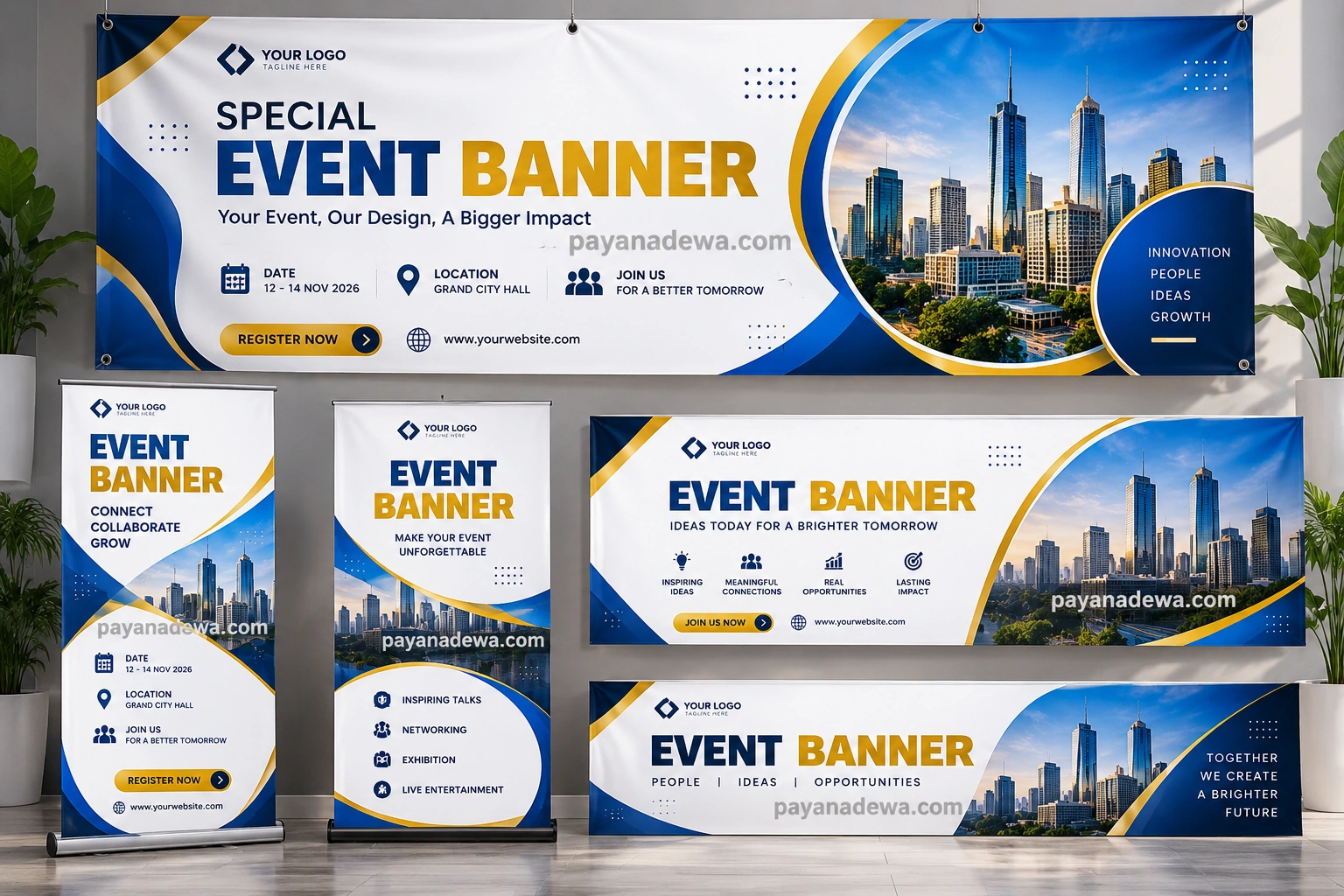
What Is an Event Banner?
An Event Banner is a visual promotional material designed to announce, identify, or advertise an event. It can be displayed at an entrance, stage, registration area, exhibition booth, conference venue, storefront, or outdoor location.
Event banners can also be used online. A digital version may appear on a website, social media page, email campaign, event registration page, or online advertisement.
The main purpose is simple: communicate important information quickly while creating visual interest. A successful banner allows people to understand the event at a glance.
Common Types of Event Banners
- Conference banners
- Corporate event banners
- Seminar and workshop banners
- Trade show banners
- Product launch banners
- Festival and entertainment banners
- Community event banners
- Networking event banners
- Grand opening banners
- Online event promotional graphics
Why Use an Event Banner Template?
Designing a banner from a blank canvas can take considerable time. You need to determine the layout, hierarchy, typography, color palette, image placement, and spacing before you can even add the final content.
An Event Banner Template provides a ready-made visual framework. You can replace the placeholder content while keeping a balanced composition.
Save Time During Event Preparation
Event organizers often have many tasks to complete before an event begins. A customizable banner template reduces the amount of design work required. Instead of building every element from the beginning, you can focus on adapting the design to your specific event.
Maintain Professional Branding
A consistent visual style helps make an event appear more organized. You can use your company logo, brand colors, preferred fonts, and visual elements throughout the banner. This is especially useful for corporate events and recurring promotional campaigns.
Create Consistent Marketing Materials
The same design concept can often be adapted for posters, social media graphics, roll-up banners, website headers, and printed signage. This creates a unified event identity across multiple channels.
Essential Elements of an Effective Event Banner
A strong banner should communicate the most important information without overwhelming the viewer. Every element should have a clear purpose.
Event Name and Main Headline
The event name should usually be one of the most prominent elements. Use a large, readable headline so viewers can identify the event quickly.
A supporting headline can explain the event’s purpose. For example, a business conference might use a phrase such as “Ideas, Innovation, and New Opportunities” beneath the main event title.
Date and Location
Make the event date and location easy to find. These details are especially important for physical events because attendees need to know when and where to arrive.
- Event date
- Start and end time
- Venue name
- City or location
- Registration information
Branding and Logo
Include the organization, company, sponsor, or event logo when appropriate. The logo should be visible without competing with the primary message.
Call to Action
A clear call to action tells viewers what to do next. Examples include Register Now, Join Us, Get Tickets, Learn More, or Visit Our Website.
How to Design an Event Banner
Creating an attractive banner becomes easier when you follow a clear design process. Start with the information that attendees absolutely need, then build the visual hierarchy around it.
1. Define the Purpose
First, determine what the banner needs to accomplish. Is it advertising an upcoming event, welcoming attendees, providing directions, or reinforcing a brand message?
The purpose influences the amount of information and the design style.
2. Choose a Clear Layout
Use a layout that guides the viewer naturally from the main headline to supporting information and finally to the call to action.
A simple hierarchy might be the event name first, followed by the event theme, date and location, and registration information.
3. Select Readable Typography
Typography should remain readable from the intended viewing distance. Avoid using too many font styles because excessive variation can make a banner appear cluttered.
Use a strong display font for the headline and a clean font for supporting information. Maintain enough contrast between text and background.
4. Use Images Carefully
Photography can make an event banner more engaging, particularly for conferences, festivals, exhibitions, and product launches. However, images should support the message rather than make the text difficult to read.
5. Apply Consistent Colors
Choose colors that reflect the event or brand. A limited palette usually creates a cleaner result than using too many unrelated colors.
Make sure the text has sufficient contrast against the background. This is particularly important for banners that will be viewed from a distance.
Choosing the Right Event Banner Size
The correct banner size depends on where it will be displayed. A banner used behind a conference stage requires a different proportion from a small registration-area banner or a roll-up display.
Popular Banner Formats
- Horizontal banners: Suitable for stages, walls, entrances, and event backdrops.
- Vertical banners: Useful for roll-up displays and narrow spaces.
- Large outdoor banners: Designed for visibility across larger distances.
- Digital banners: Adapted for websites, social media, email, and online event promotion.
Before designing, confirm the final dimensions required by your printer, venue, or digital platform. This helps prevent cropping and layout problems.
Event Banner Design Tips for Better Results
Small design decisions can significantly improve the effectiveness of your banner. Keep the viewer’s limited attention span in mind.
- Keep the main message short: Viewers should understand the event quickly.
- Create visual hierarchy: Make the most important information visually dominant.
- Use sufficient white space: Empty space helps important elements stand out.
- Limit decorative elements: Avoid unnecessary graphics that compete with the message.
- Check readability: Review the design at both full size and reduced size.
- Use consistent branding: Match the organization’s colors and visual identity.
- Proofread everything: Check names, dates, addresses, URLs, and contact information.
Where Can You Use an Event Banner?
An event banner can be useful throughout the entire event marketing journey. It does not have to be limited to the event venue.
Before the event, banners can promote registration and build awareness. During the event, they can identify spaces and reinforce branding. Afterward, adapted graphics can be used to promote future events or share highlights.
Physical Event Locations
- Event entrances
- Conference stages
- Registration desks
- Exhibition booths
- Networking areas
- Photo backdrops
- Presentation areas
- Retail and promotional spaces
Digital Marketing Channels
- Company websites
- Event registration pages
- Social media posts
- Email newsletters
- Online advertisements
- Digital event invitations
How to Customize an Event Banner Template
Start by replacing the placeholder event name with your actual title. Next, update the date, time, location, registration details, website, and contact information.
Then add your logo and adjust the colors to match your brand. If the template includes a photograph, replace it with an image that is relevant to your event and suitable for the final output size.
Finally, review the entire design from a viewer’s perspective. Ask whether someone seeing the banner for only a few seconds could understand what the event is, when it takes place, and what action they should take.
Printable vs. Digital Event Banners
The same creative concept can often work for both print and digital formats, but the technical requirements are different.
For printing, pay attention to physical dimensions, image resolution, color requirements, bleed, and the specifications provided by the printing service.
For digital use, consider platform dimensions, file size, screen readability, and responsive presentation. A banner that looks excellent on a large monitor may need adjustments for smartphones.
Common Event Banner Mistakes to Avoid
Even a visually attractive banner can become ineffective when it contains too much information or lacks a clear focal point.
- Using excessively small text
- Adding too many fonts
- Including too much information
- Using low-resolution images
- Choosing poor text-to-background contrast
- Forgetting important event details
- Overusing decorative graphics
- Failing to check the final print dimensions
- Using inconsistent branding
Make Your Event More Memorable With a Strong Visual Identity
A professional Event Banner is more than a decorative sign. It can become an important part of the event’s visual identity. When the design is consistent across banners, invitations, social media graphics, presentations, and other promotional materials, attendees can recognize the event more easily.
A well-planned Event Banner Template also gives organizers a reusable starting point for future events. You can keep the core visual structure while changing the event name, date, photographs, colors, and promotional message.
Conclusion
Creating an effective Event Banner requires a balance between visual appeal and clear communication. The best designs make essential information easy to find while using typography, color, imagery, and branding to create a memorable impression.
An Event Banner Template can simplify the design process and help you create professional promotional materials more efficiently. Whether you are organizing a conference, seminar, workshop, festival, corporate gathering, or product launch, a customizable template provides a practical foundation for your design.
Before publishing or printing your banner, check the event information, confirm the dimensions, review readability, and make sure the final design represents your brand. With these steps, your banner can attract attention while giving attendees the information they need at a glance.