A well-written Services Announcement helps customers understand what is changing, why it matters, and what they need to do next. Whether you are launching a new service, improving an existing offering, changing business hours, updating support options, or introducing new features, a clear announcement can make the transition easier for everyone.
The right message should be informative without being overwhelming. It should highlight the most important details, use simple language, and give readers a clear path to additional information. A practical Services Announcement Template can make this process faster while helping businesses maintain a consistent communication style across email, websites, social media, newsletters, and printed materials.
This guide explains what to include in a service announcement, how to structure it, and how to create a message that is useful to customers and easy for your team to reuse.
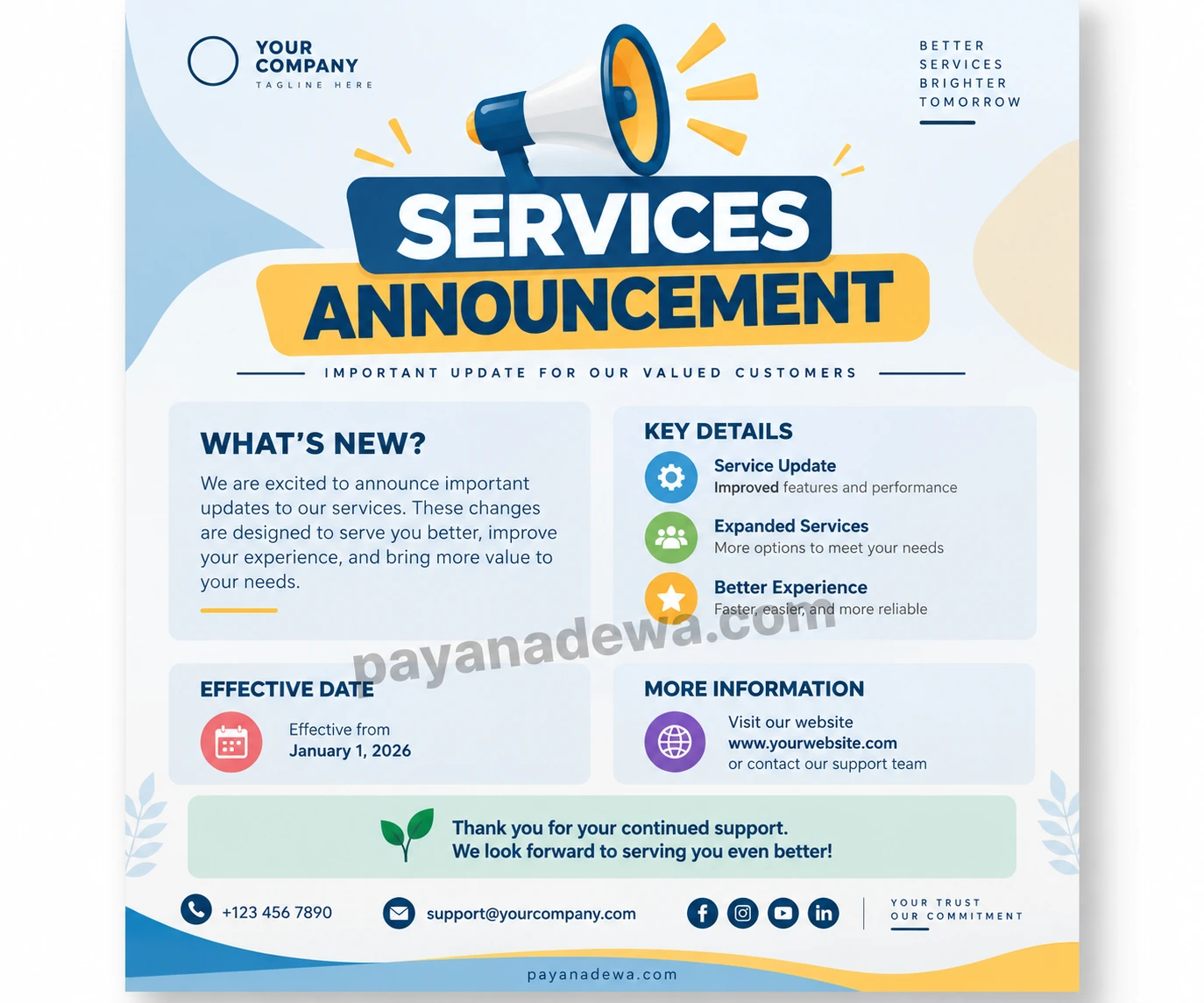
What Is a Services Announcement?
A Services Announcement is a formal or informal business message used to inform customers, employees, partners, or the public about a service-related update. The announcement may introduce something new or explain a change to an existing service.
Common examples include a new service launch, expanded service coverage, pricing changes, new customer support channels, revised operating hours, upgraded features, temporary service interruptions, and improvements to customer experience.
The purpose is simple: give the right audience the right information at the right time. A strong announcement answers the practical questions readers are likely to have before they need to ask for clarification.
Why a Clear Services Announcement Matters
Service changes can affect how customers interact with a business. If the information is unclear, customers may miss important dates, misunderstand new procedures, or contact support unnecessarily. A concise announcement reduces confusion and creates a smoother transition.
Build Customer Awareness
A service announcement puts important information in front of customers before or when a change takes effect. This gives them time to understand the update and prepare for any new process.
Strengthen Professional Communication
Consistent announcements make a business appear organized and dependable. Using a reusable template also helps teams avoid leaving out essential information such as dates, service details, contact options, and next steps.
Improve Customer Experience
Customers appreciate communication that respects their time. Instead of making readers search through long explanations, a well-structured announcement presents the essential facts in a logical order.
What to Include in a Services Announcement Template
A useful template should be flexible enough for different situations while keeping the core information consistent. The following sections work well for most service-related updates.
- Announcement headline: State the main update clearly.
- Short introduction: Explain what is changing and why readers should care.
- Service details: Describe the new, improved, expanded, or revised service.
- Benefits: Explain how the update may improve the customer experience.
- Effective date: Tell readers when the change starts.
- Required action: Explain whether customers need to update anything or follow a new process.
- Support information: Provide a website, email address, phone number, or other contact method.
- Closing message: Thank customers and reinforce your commitment to service.
How to Write an Effective Services Announcement
Start With the Main Point
Readers should understand the purpose of the announcement within the first few sentences. Avoid beginning with unnecessary background information. Lead with the service update and then provide supporting details.
For example, instead of writing several paragraphs before explaining the change, begin with a direct statement such as: “We are pleased to announce an expanded customer support service beginning January 1.” This immediately establishes the subject and effective date.
Use Simple and Specific Language
Clear wording is especially important when a service change involves procedures, schedules, pricing, or customer actions. Replace vague statements with specific information whenever possible.
Readers should not have to guess what the announcement means. If a service begins on a particular date, state the date. If customers must take an action, explain exactly what they need to do.
Focus on Customer Benefits
Explaining the practical benefit of an update makes the message more useful. Depending on the announcement, benefits may include faster support, additional service options, improved reliability, easier access, expanded coverage, or a simpler customer process.
Provide a Clear Next Step
Some announcements require no action, while others do. If readers need to contact support, update an account, review new terms, book a service, or visit a particular page, make that instruction easy to find.
Services Announcement Examples for Different Situations
New Service Launch
When introducing a new service, explain what it does, who it is for, when it becomes available, and how customers can access it. A short list of benefits can help readers quickly understand the value of the new offering.
Service Improvement Announcement
For an improved service, focus on what has changed. Mention upgraded features, faster response times, expanded capabilities, or other meaningful improvements without making unsupported claims.
Service Schedule Change
If business hours or service availability are changing, place the new schedule in a prominent position. Include the effective date and explain whether customers need to make any changes to existing appointments or plans.
Temporary Service Interruption
For planned maintenance or temporary interruptions, provide the expected start and end times when known. Explain what customers can expect during the interruption and where they can obtain updates.
Tips for Making Your Announcement More Effective
A good Services Announcement Template should make communication easier, not create additional work. Keep the final message focused and easy to scan.
- Keep paragraphs short: Short sections improve readability on mobile devices.
- Use descriptive headings: Headings help readers locate important information quickly.
- Highlight important dates: Effective dates should be easy to identify.
- Use bullet points for details: Lists work well for benefits, features, and customer actions.
- Match the tone to your audience: A customer notice may be professional and friendly, while an internal announcement can be more direct.
- Proofread before publishing: Check names, dates, links, contact details, and service descriptions.
- Choose the right communication channel: Use email, website notices, social media, printed notices, or several channels depending on the audience.
Using a Services Announcement Template Across Multiple Channels
A reusable template can support consistent communication across different platforms. The same core message can be adapted for an email announcement, website notice, customer newsletter, social media post, or printable business notice.
For email, place the key update near the top and provide a clear call to action. For a website, use headings and short sections so visitors can scan the information quickly. For social media, shorten the message and direct readers to a page containing the complete details. For printed materials, prioritize the headline, effective date, key benefits, and contact information.
Common Mistakes to Avoid
Even a professional-looking announcement can fail if the message is incomplete or difficult to understand. Avoid hiding the main update deep inside the copy. Do not use complicated terminology when a simpler phrase is available.
Another common problem is failing to include an effective date. Without a clear timeline, customers may not know whether the change is already active or will happen later. It is also important to review contact information before publishing so readers have a reliable way to ask questions.
How to Customize the Template for Your Brand
Your announcement should look and sound like it belongs to your business. Start by adding your logo, brand colors, preferred typography, website, and contact information. Then adjust the wording to match your usual communication style.
You can also create different versions of the template for major announcement types. For example, one version can focus on new services, another can be designed for schedule changes, and another can handle temporary service interruptions. Keeping the basic structure consistent makes future announcements faster to produce.
Final Checklist Before Publishing
Before sending or publishing a Services Announcement, review the message from the customer’s perspective. Make sure the announcement answers the most important questions without unnecessary detail.
- Is the main service update immediately clear?
- Is the effective date correct?
- Are the benefits or practical effects explained?
- Does the customer need to take action?
- Are the next steps easy to understand?
- Are contact details accurate?
- Has the announcement been proofread?
- Is the message suitable for the selected communication channel?
Conclusion
A clear Services Announcement helps businesses communicate changes with confidence and gives customers the information they need to respond appropriately. By using a structured Services Announcement Template, you can create consistent messages that explain the update, highlight important benefits, provide timelines, and guide readers toward the next step.
The most effective announcements are direct, specific, useful, and easy to scan. Start with the main point, organize supporting information with clear headings, include an effective date, and make customer support details easy to find. With a reusable template, your team can save time while maintaining professional and consistent service communication.