An editable brochure is a practical way to create attractive marketing materials without starting every design from scratch. Whether you are promoting a business, advertising an event, presenting a service, or sharing important information, an editable brochure gives you a flexible foundation that can be customized to match your needs.
Unlike a fixed brochure design, an editable template allows you to change text, images, colors, contact information, headings, and other visual elements. This makes it easier to create professional-looking promotional materials while saving valuable time and design effort.
With the right brochure template, even beginners can create a polished document that communicates important information clearly. The key is choosing a layout that is easy to customize and organizing your content so readers can quickly understand your message.
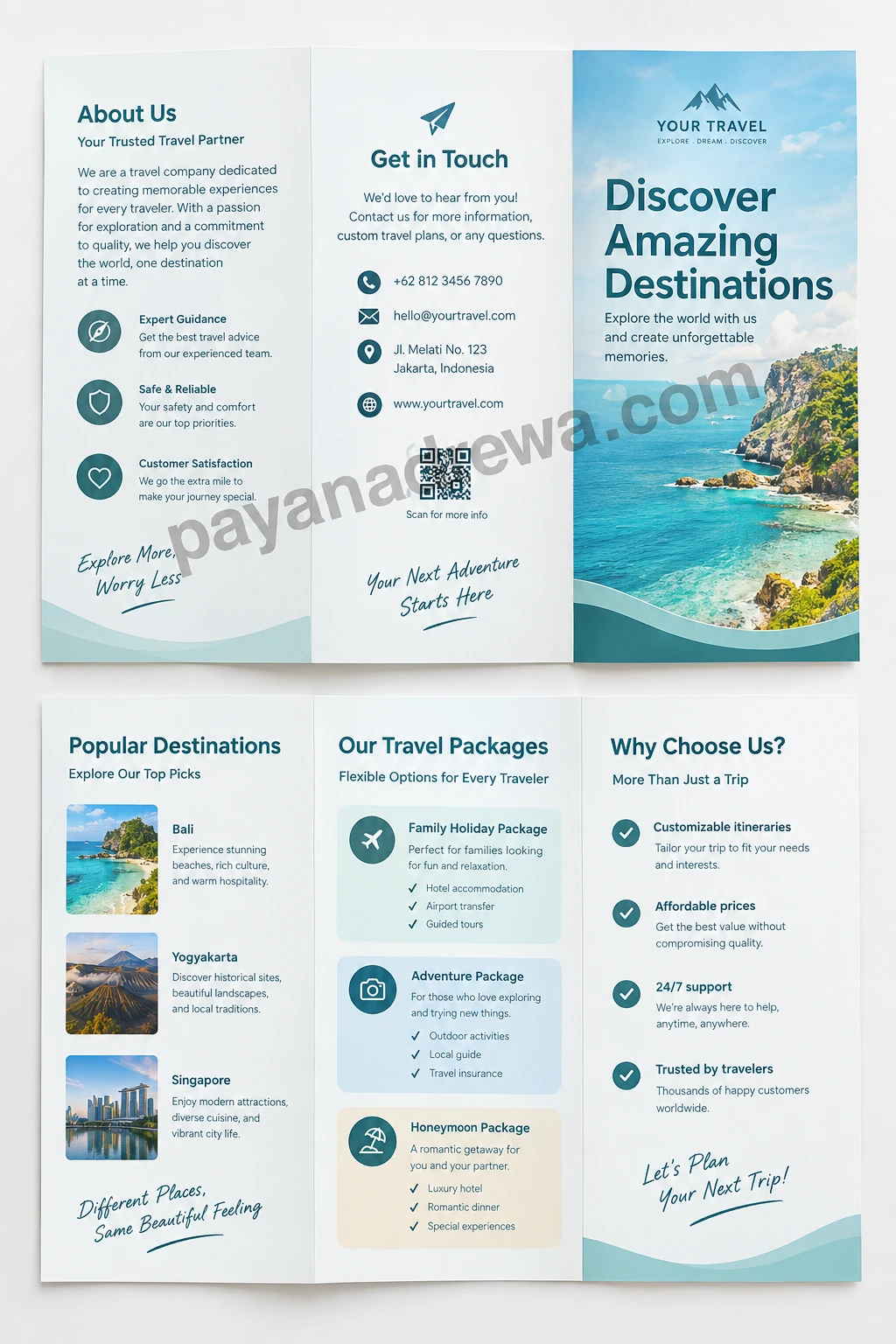
What Is an Editable Brochure?
An editable brochure is a customizable brochure design that lets users modify its content and appearance. Instead of designing every element manually, you can begin with an existing layout and adjust it according to your project.
Depending on the format, you may be able to edit headings, paragraphs, photographs, icons, colors, fonts, business details, pricing information, and calls to action. This makes an editable brochure useful for both personal and professional projects.
For example, a business could use a brochure template to introduce its services, while a school could customize one to promote an upcoming event. A travel company might use the same type of layout to showcase destinations and packages.
Why Use an Editable Brochure Template?
Creating a brochure from a blank page can take considerable time. You need to think about page structure, spacing, typography, images, and visual hierarchy before you can even add your main content.
An editable brochure template simplifies this process by providing a ready-made structure. You can focus more on your message instead of spending hours building the basic layout.
Save Time and Design Effort
A template gives you a starting point. Instead of creating columns, headings, content areas, and visual sections manually, you can customize an existing design.
This is especially useful when you need several brochures with similar branding. You can duplicate the original design and update only the information that changes.
Create Consistent Branding
Businesses often need marketing materials that look consistent across different channels. An editable brochure makes it easier to maintain the same fonts, colors, logo placement, and overall visual identity.
Consistent branding can make your promotional materials look more organized and recognizable. It also helps customers connect the brochure with your business.
Easy to Customize
The main advantage of an editable brochure is flexibility. You can adapt the design for different audiences, products, services, locations, or events.
- Replace placeholder text with your own information.
- Add your business logo and contact details.
- Change colors to match your brand identity.
- Insert relevant photographs or illustrations.
- Update prices, dates, addresses, and service details.
- Adjust headings and calls to action.
Common Uses for an Editable Brochure
An editable brochure can be used in many situations. Because the layout can be customized, one template can support different marketing and informational purposes.
Business and Company Promotion
Companies can use brochures to introduce their brand, explain their services, and provide contact information. A well-structured business brochure can also highlight the company’s strengths and encourage potential customers to take the next step.
Product and Service Marketing
A product brochure can showcase important features, benefits, pricing, specifications, and purchasing information. Service providers can use a similar format to explain what they offer and why customers should choose them.
Events and Special Occasions
Editable brochure designs are also useful for conferences, workshops, school events, community activities, exhibitions, and promotional campaigns. You can customize the layout with event schedules, locations, registration information, and important reminders.
Travel and Tourism
Travel businesses can use an editable travel brochure to present destinations, tour packages, accommodation options, activities, and contact details. Attractive photographs combined with concise descriptions can make travel information more engaging.
How to Create an Effective Editable Brochure
Having an editable template is only the first step. The final result depends on how you customize the content and design.
1. Start With a Clear Purpose
Before editing the brochure, decide what you want readers to learn or do. A brochure designed to promote a service may require a different structure from one created for an event.
Keep your main objective in mind throughout the editing process. Every heading, image, and section should support that purpose.
2. Use Short and Useful Content
Brochures should be easy to scan. Large blocks of text can make readers lose interest, especially when the brochure contains several sections.
Use short paragraphs, descriptive headings, bullet points, and concise statements. Highlight the most important information rather than trying to include everything.
3. Choose High-Quality Images
Images can make a brochure more visually appealing and help readers understand the subject quickly. Choose photographs or graphics that are relevant to your message.
Make sure images have suitable resolution for the final format. Avoid overcrowding the page with too many photographs, because excessive visual elements can reduce readability.
4. Maintain Visual Consistency
Use a limited color palette and consistent typography throughout the brochure. Headings should look similar from one section to another, while body text should remain easy to read.
Consistent spacing is also important. Give sections enough room so the brochure does not appear crowded.
5. Add a Strong Call to Action
A good brochure should tell readers what to do next. Depending on your goal, the call to action could encourage readers to contact your business, visit a website, make a reservation, register for an event, or request more information.
Make the call to action easy to find. Include relevant contact information such as a phone number, email address, website, or social media account when appropriate.
Tips for Making Your Brochure More Professional
Small design decisions can make a significant difference in the final appearance of your editable brochure. Keep these practical tips in mind when customizing your template.
- Keep the layout balanced: Avoid placing too much content in one section while leaving another section nearly empty.
- Use readable fonts: Choose typography that remains clear when printed or viewed digitally.
- Highlight important information: Use headings, bold text, icons, or spacing to guide the reader.
- Use quality graphics: Blurry images can make an otherwise professional brochure look unfinished.
- Check alignment: Make sure text, images, and design elements line up consistently.
- Proofread carefully: Check names, phone numbers, dates, prices, URLs, and spelling before publishing.
- Leave enough white space: Empty space can improve readability and give the design a cleaner appearance.
Editable Brochure Formats to Consider
Different projects may require different file formats. The best option depends on the software you plan to use and whether the brochure will be printed or shared digitally.
Some editable brochure templates are designed for common office applications, while others are created for professional graphic design software. There are also browser-based design tools that allow users to customize templates without installing specialized programs.
When selecting a template, check whether the file format is compatible with your preferred editing software. It is also helpful to confirm whether fonts, images, and other design elements can be modified.
Printable vs. Digital Editable Brochures
An editable brochure can be designed for printing, digital distribution, or both. A printable brochure should be prepared with suitable dimensions, margins, and image quality for physical output.
Digital brochures may require additional considerations. For example, clickable links, QR codes, or interactive elements can make a digital brochure more useful.
If you plan to use the brochure in both formats, create a flexible design that remains attractive on paper and on a screen. Test the final document before distributing it to your audience.
What to Include in an Editable Brochure
The exact content depends on the purpose of your brochure. However, many effective brochure designs include several common elements.
- Business or organization name
- Logo and brand identity
- Compelling headline
- Short introduction or overview
- Products, services, or key information
- Relevant images or graphics
- Benefits or important features
- Contact information
- Website or social media details
- Clear call to action
Do not feel obligated to include every possible element. Select the information that matters most to your audience and arrange it in a logical order.
How to Avoid Common Brochure Design Mistakes
Even a professionally designed template can become ineffective if it is overloaded with content. One of the most common mistakes is trying to fit too much information into a limited space.
Another problem is inconsistent formatting. Too many fonts, colors, or competing visual elements can make the brochure difficult to follow.
Before finalizing your design, review it from the reader’s perspective. Ask whether the main message is immediately clear and whether important information can be found without searching through the entire document.
Make Your Editable Brochure Work for Your Audience
The best brochure is not necessarily the one with the most design elements. It is the one that communicates useful information clearly and encourages the reader to respond.
Think about what your audience needs to know first. Then organize the brochure around those priorities. Use visual elements to support the message rather than distract from it.
If your audience is unfamiliar with your business, provide a simple introduction. If they already know your brand, focus more attention on your latest offer, products, services, or event details.
Conclusion
An editable brochure provides a convenient starting point for creating professional marketing and informational materials. With a customizable layout, you can update text, images, colors, branding, contact information, and other elements without designing the entire brochure from scratch.
Whether you need a business brochure, product flyer, event handout, travel brochure, or service presentation, an editable template can save time and help maintain a consistent visual identity.
For the best results, keep your content concise, use high-quality visuals, maintain consistent formatting, and include a clear call to action. Most importantly, design the brochure around your audience and its needs. With thoughtful customization, a simple template can become an effective and professional communication tool.
If you are mad at me, just curse me out
HI,I AM HERE AGAIN AND AGAIN