An executive summary is one of the most important parts of a professional business document. Whether you are preparing a business plan, project proposal, research report, or strategic document, a well-written executive summary helps readers understand the essential information quickly. It presents the main ideas, key findings, and recommended actions without requiring readers to review the entire document.
However, writing an effective executive summary can be challenging. You need to include enough information to communicate the document’s purpose while keeping everything clear and concise. Fortunately, with the right structure and approach, anyone can create a professional executive summary that makes a strong impression.
In this guide, you will learn what an executive summary is, why it matters, what to include, and how to write one step by step. You will also discover practical examples and a useful executive summary template to help you get started.
What Is an Executive Summary?
An executive summary is a brief overview of a longer document. It highlights the most important information, including the purpose, objectives, findings, conclusions, and recommendations. Its primary goal is to help busy readers understand the main message without reading every page of the original report.
Businesses commonly use executive summaries in business plans, project proposals, market research reports, investment presentations, and strategic planning documents.
Although an executive summary appears at the beginning of a document, it is usually written after the main document is complete. This approach ensures that the summary accurately reflects the information and conclusions presented in the full report.
Executive Summary vs. Introduction
An executive summary and an introduction may appear similar. However, they serve different purposes.
- Executive summary: Provides an overview of the entire document, including important findings, conclusions, and recommendations.
- Introduction: Explains the background, context, purpose, and scope of the document.
In other words, an introduction tells readers what a document will discuss. An executive summary explains what the document contains and what readers should take away from it.
Why Is an Executive Summary Important?
Decision-makers often have limited time to review lengthy reports and proposals. Therefore, a clear executive summary makes it easier for them to understand important information and identify the next steps.
Here are several reasons why an executive summary is valuable.
1. Saves Time for Busy Readers
An executive summary allows managers, investors, and stakeholders to understand the main points quickly. Instead of reviewing an entire report, they can focus on the most relevant information first.
2. Highlights Important Information
Long documents often contain supporting details that can make important findings difficult to identify. A summary brings the most valuable information together in one place.
3. Supports Better Decision-Making
By presenting objectives, results, risks, and recommendations, an executive summary gives decision-makers a clearer foundation for evaluating opportunities and choosing appropriate actions.
4. Creates a Professional First Impression
A well-organized executive summary demonstrates that you understand your subject and can communicate complex information effectively. This is especially important when presenting proposals to clients, investors, or senior management.
What Should an Executive Summary Include?
The structure of an executive summary depends on the type of document. Nevertheless, most effective summaries contain several essential elements.
1. Overview and Background
Start by explaining the purpose of the document. Provide enough background information to help readers understand the situation, problem, or opportunity being addressed.
2. Main Objectives
Clearly describe what the project, business plan, or report aims to achieve. Use specific objectives whenever possible so readers can understand the intended outcomes.
3. Key Findings or Results
Present the most important findings, research results, or project outcomes. Include relevant statistics and measurable information when available. Avoid adding unnecessary details that distract from the main message.
4. Recommendations and Proposed Solutions
Explain the actions you recommend based on the findings. These recommendations should be practical, relevant, and supported by the information presented in the full document.
5. Conclusion and Next Steps
Finish with a concise statement that reinforces the main message. When appropriate, identify the next steps, expected outcomes, or decisions required from the reader.
How to Write an Executive Summary Step by Step
Writing a professional executive summary becomes easier when you follow a clear process. The following steps will help you create a concise and informative overview.
Step 1: Complete the Main Document First
Before writing the summary, finish the full report, proposal, or business plan. This gives you a complete understanding of the content and helps prevent inaccurate statements.
Review the document carefully and identify its most important arguments, findings, and recommendations.
Step 2: Identify Your Target Audience
Consider who will read your executive summary. Business owners, investors, executives, and project managers may have different priorities.
For example, investors may want to understand financial opportunities and potential returns. Meanwhile, project managers may focus on objectives, timelines, budgets, and risks.
Adjust the information and language to match your audience’s needs.
Step 3: Highlight the Most Important Points
Select only the information that readers need to understand the document’s main message. Focus on the purpose, objectives, key findings, and recommended actions.
A useful approach is to ask yourself three questions:
- What is this document about?
- What are the most important findings or results?
- What action or decision should the reader consider?
Step 4: Write Clearly and Concisely
Use straightforward language and short sentences. Avoid unnecessary technical terms, complicated explanations, and repeated information.
Each paragraph should communicate one main idea. In addition, use bullet points when they make important information easier to understand.
Step 5: Include Relevant Data
Whenever possible, support your statements with meaningful figures, research findings, or measurable results. Relevant data makes your executive summary more credible and useful.
However, include only information that directly supports the main message. Detailed calculations and supporting evidence can remain in the full report.
Step 6: Review and Edit Your Summary
Finally, check your executive summary for accuracy, clarity, grammar, and consistency. Make sure every statement reflects the full document.
Remove unnecessary sentences and confirm that readers can understand the main message without additional explanations.
Executive Summary Example
The following example demonstrates how to organize an executive summary for a fictional business improvement project.
Business Improvement Project Example
Overview: This project aims to improve operational efficiency and customer satisfaction through updated business processes and improved digital tools.
Objectives: The primary objectives are to reduce operational delays, improve customer response times, and increase overall productivity.
Key Findings: An internal review identified inefficient workflows, inconsistent communication, and outdated administrative procedures as the main challenges affecting performance.
Recommendations: The company should introduce improved workflow management software, establish standardized communication procedures, and provide employee training.
Conclusion: Implementing these improvements can help the organization create more efficient operations, strengthen customer relationships, and support sustainable business growth.
This example shows how an executive summary can communicate important information in a simple and organized format.
Free Executive Summary Template
Using an executive summary template can save time and help you maintain a consistent document structure. Instead of starting from a blank page, you can follow a ready-made format and customize each section according to your needs.
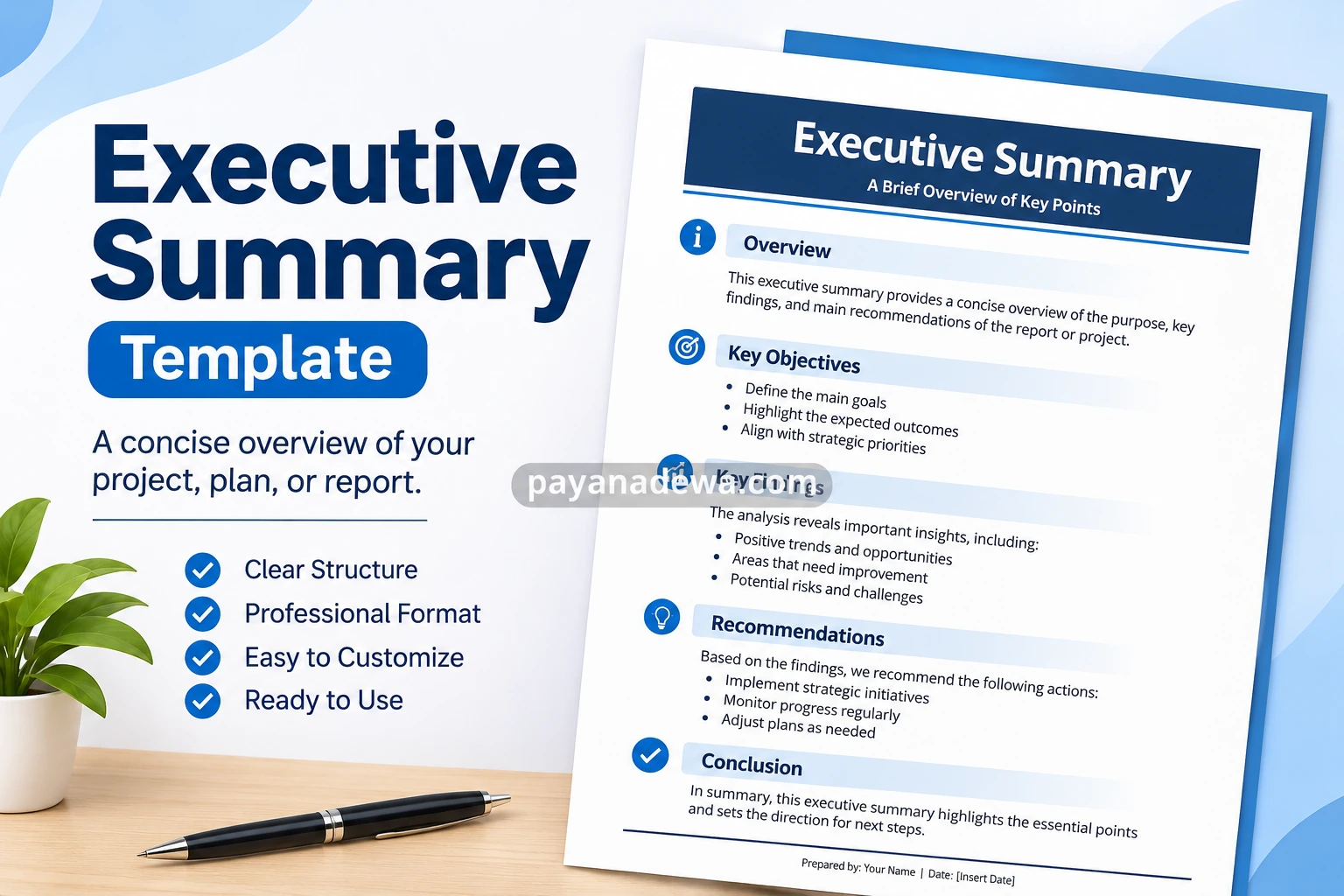
A professional executive summary template should include the following sections:
- Document Title: Enter the name of your project, report, or business plan.
- Overview: Describe the purpose and background of the document.
- Key Objectives: List the main goals and expected outcomes.
- Key Findings: Summarize important research results or project insights.
- Recommendations: Present suggested actions and practical solutions.
- Conclusion: Reinforce the main message and identify the next steps.
You can customize the template by adding your company name, project details, relevant statistics, and supporting information. Keep the layout simple so readers can quickly locate each section.
Best Practices for an Effective Executive Summary
A good executive summary should be informative, readable, and focused on the reader’s needs. Apply these practical tips to improve the quality of your document.
Keep It Concise
Most executive summaries are approximately one to two pages, although the ideal length depends on the complexity of the original document. Focus on essential information rather than repeating every detail.
Use Clear Headings
Organize your content with descriptive headings and logical sections. This makes the document easier to scan and improves the overall reading experience.
Focus on Benefits and Outcomes
Explain why the information matters. Rather than simply describing activities, highlight their expected benefits, business value, or measurable impact.
Avoid Unsupported Claims
Make sure that your statements are accurate and supported by the full document. Avoid exaggerated promises or conclusions that are not supported by evidence.
Use a Professional Format
Choose readable fonts, consistent spacing, and a clean layout. Use bold text to emphasize important information, but avoid excessive formatting.
Common Executive Summary Mistakes to Avoid
Even a well-researched report can lose its impact if the executive summary is poorly written. Watch out for these common mistakes:
- Including too much detail: A summary should highlight essential information, not reproduce the entire report.
- Writing before completing the report: This can lead to missing findings or inaccurate conclusions.
- Using vague language: Be specific about objectives, results, and recommendations.
- Ignoring the target audience: Present information that addresses the reader’s priorities.
- Leaving out recommendations: Explain what actions should follow from the findings.
- Using inconsistent information: Ensure that figures, statements, and conclusions match the original document.
By avoiding these mistakes, you can create an executive summary that communicates information more effectively and supports better decisions.
Conclusion
An executive summary is an essential component of professional business documents, project proposals, and reports. It provides readers with a clear overview of the purpose, objectives, key findings, and recommended actions.
To write an effective executive summary, start by completing the main document, identify your audience, highlight essential information, and communicate your findings in clear language. Furthermore, use a consistent structure and review the final version to ensure accuracy.
Whether you are preparing a business plan, research report, or project proposal, a well-designed executive summary template can make the writing process faster and more organized. Start with a simple structure, customize it to your needs, and create a professional summary that helps readers understand what matters most.