A checklist form is a simple yet powerful tool for organizing tasks, tracking progress, and making sure important details are not overlooked. Whether you are managing a business project, planning an event, completing household chores, or organizing your daily routine, a well-designed checklist can make your work easier and more efficient.
Instead of relying on memory, you can use a printable checklist template to record tasks, mark completed items, and identify what still needs attention. This approach helps you stay focused, save time, and reduce mistakes in everyday activities.
In this guide, you will learn what a checklist form is, why it is useful, which types you can use, and how to create an effective checklist that fits your needs. You will also discover practical tips for using a checklist form at home, at work, and in your personal life.
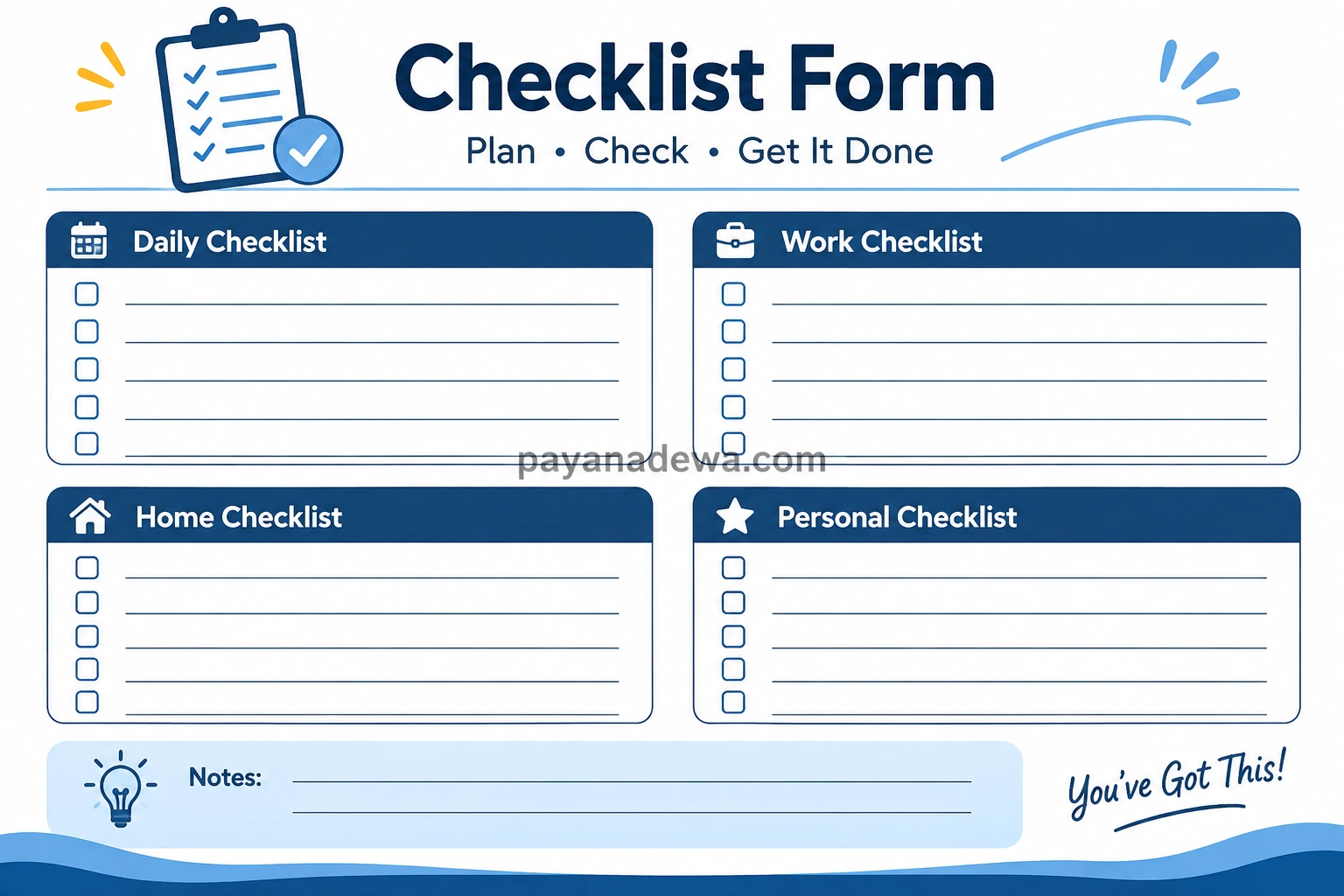
What Is a Checklist Form?
A checklist form is a document that lists tasks, requirements, or steps that need to be completed. Each item usually includes a checkbox that you can mark when the task is finished. Some forms also contain fields for dates, names, notes, deadlines, and approval signatures.
The main purpose of a checklist is to provide a clear overview of what needs to be done. As a result, you can follow a structured process instead of trying to remember every detail.
For example, a project checklist might include preparing materials, assigning responsibilities, reviewing progress, and confirming the final results. Meanwhile, a daily checklist may include personal goals, household chores, appointments, and other routine activities.
A checklist form can be printed and completed by hand or created digitally using a document editor or spreadsheet. The best format depends on your workflow and how you prefer to track your tasks.
Benefits of Using a Checklist Form
Using a checklist form offers several practical benefits. It is easy to create, simple to understand, and flexible enough for many different situations.
1. Improve Organization
A checklist helps you arrange tasks in a logical order. Instead of keeping several reminders in your head, you can put everything in one place. This makes it easier to understand your priorities and plan your next steps.
2. Reduce Mistakes
Important details are easier to overlook when you work from memory alone. A checklist provides a written reference that you can review before completing a task. This is especially helpful for repetitive work, inspections, and procedures that require several steps.
3. Save Time
When your tasks are clearly listed, you spend less time deciding what to do next. You can follow the checklist, mark completed items, and move forward with greater confidence.
4. Track Progress Easily
Checkboxes provide a quick visual overview of your progress. You can see which tasks are complete, which are in progress, and which still require attention. This is useful for personal goals as well as team projects.
5. Increase Accountability
For shared responsibilities, a checklist can identify who is responsible for each task and when it should be completed. This helps team members understand their duties and makes follow-up conversations more productive.
Common Types of Checklist Forms
Not every task requires the same checklist. Choosing the right format helps you organize information clearly and avoid unnecessary steps.
Daily Checklist Form
A daily checklist is useful for planning your activities and maintaining consistent habits. You can include work priorities, appointments, personal goals, and routine responsibilities.
Common items include:
- Review daily priorities.
- Check emails and important messages.
- Complete scheduled tasks.
- Attend meetings or appointments.
- Review progress at the end of the day.
Work Checklist Form
A work checklist helps employees, freelancers, and business owners organize professional responsibilities. It can be used for project management, office procedures, quality checks, and administrative tasks.
For better results, include task owners, deadlines, and completion status when several people are involved.
Home Checklist Form
A home checklist makes household responsibilities easier to manage. It can cover cleaning schedules, grocery shopping, maintenance, moving preparations, and weekly chores.
For families or shared living spaces, assign each task to a specific person. This reduces confusion and helps everyone understand their responsibilities.
Personal Checklist Form
A personal checklist supports individual goals and everyday routines. You might use one to track study sessions, exercise, travel preparations, financial administration, or habits you want to maintain.
Keep the list realistic. A short checklist that you can complete consistently is often more useful than a long list that feels overwhelming.
Inspection and Quality Control Checklist
Inspection checklists are commonly used to verify that equipment, products, facilities, or procedures meet defined requirements. They can include inspection criteria, pass-or-fail options, observations, and corrective actions.
For safety-critical or regulated activities, make sure your checklist follows the applicable professional standards and official procedures.
What Should a Good Checklist Form Include?
A good checklist form should be clear, practical, and easy to complete. Include only the information needed to perform and verify the work.
- Title: Describe the purpose of the checklist.
- Date: Record when the checklist is created or completed.
- Name or owner: Identify the person responsible, when necessary.
- Task list: Write each action as a separate, specific item.
- Checkboxes: Provide space to mark completed tasks.
- Deadlines: Add due dates for time-sensitive activities.
- Status: Use simple labels when tasks need more than a completed or incomplete state.
- Notes section: Record observations, issues, or additional instructions.
- Verification: Include a reviewer or approval field when the process requires one.
Remember that more information does not always make a checklist better. A simple form is easier to scan, print, and use consistently.
How to Create an Effective Checklist Form
You do not need advanced design skills to create a useful checklist. Follow these steps to build a form that supports your workflow.
Step 1: Define Your Purpose
Start by identifying the task or process you want to manage. For example, you may need a morning routine checklist, an event planning checklist, or a weekly office inspection form. A clear purpose helps you decide which items belong on the list.
Step 2: List the Required Tasks
Write down every essential action. Then, remove duplicate items and combine tasks that are too similar. Arrange the remaining items in the order they should be completed.
Step 3: Use Clear, Action-Oriented Language
Each item should describe an action that is easy to understand. Instead of writing “Documents,” use “Review and organize project documents.” Specific wording makes it easier to determine whether a task is complete.
Step 4: Organize Tasks Into Sections
Group related items under simple headings. For example, an event checklist might include planning, supplies, event day, and follow-up. Sections make longer checklists easier to navigate.
Step 5: Choose a Suitable Format
Select a printable checklist template if you prefer handwriting and physical records. Alternatively, use a digital form if you need to update tasks frequently, collaborate with others, or keep searchable records.
Step 6: Test and Improve the Form
Use the checklist during a real task. Notice whether any steps are missing, unclear, or unnecessary. Adjust the layout and wording based on your experience.
Practical Tips for Using a Printable Checklist Template
A printable checklist works best when it becomes part of your regular routine. These simple practices can help you get more value from your form.
- Keep it accessible: Place the printed checklist near your workspace or store it with related documents.
- Prioritize important tasks: Put urgent or essential items near the top.
- Use one item per line: This gives you enough space to read and mark each task.
- Update the list when necessary: Remove outdated items and add new requirements when your process changes.
- Review unfinished tasks: Decide whether to reschedule, delegate, or remove each incomplete item.
- Use consistent symbols: Keep checkbox marks and status labels consistent throughout the form.
- Allow enough writing space: Make sure the layout remains readable after printing.
If you work with sensitive information, avoid including unnecessary personal details. Store completed forms securely when they contain confidential business or customer data.
Printable Checklist Form vs Digital Checklist
Both printable and digital checklists can be effective. The right choice depends on how you work, how often your tasks change, and whether other people need access to the same information.
A printable checklist is ideal when you want a straightforward document that you can carry, mark by hand, or attach to a paper record. It also works well in environments where screens are inconvenient.
A digital checklist is useful when you need to update tasks quickly, search previous records, share information, or track responsibilities across a team. Depending on the software, you may also be able to add automatic reminders and progress reports.
You can even combine both formats. Create and maintain your master checklist digitally, then print a copy for daily use or on-site activities.
Common Checklist Form Mistakes to Avoid
Even a simple checklist can become difficult to use if it is poorly designed. Avoid these common problems:
- Adding too many tasks: An overloaded checklist can make priorities difficult to identify.
- Using vague descriptions: Unclear wording makes completion harder to verify.
- Ignoring task order: Arrange steps logically when one action depends on another.
- Forgetting updates: Review the form whenever procedures or responsibilities change.
- Skipping final reviews: Some tasks require a separate verification step before they can be considered complete.
- Using an unsuitable layout: Small text and limited writing space can reduce readability, especially on printed pages.
By addressing these issues, you can create a checklist that is practical, reliable, and easy for others to follow.
Conclusion
A checklist form is a practical way to organize responsibilities, reduce missed steps, and monitor progress. From daily routines and household chores to workplace projects and inspections, the right checklist helps you approach tasks with greater clarity and consistency.
Start by defining your purpose, listing essential actions, and arranging them in a logical order. Then, choose a printable checklist template or digital format that suits your needs. Keep the design simple, review it regularly, and update it as your routine changes.
With a well-organized checklist, you can spend less time remembering what needs to be done and more time completing the work that matters. Explore the Checklist Form template from payanadewa.com and adapt it to your daily, professional, or personal tasks.
I know this site offgers quaqlity based
posts and extra data, is there any other website hich
gives these sruff inn quality? xnxx