Creating a professional CV is an important step when applying for a new job. However, starting from a completely blank page can feel challenging. You may not know what information to include, how to organize your experience, or which format looks best. That is where a blank CV template can help.
A blank CV provides a ready-made structure that you can customize with your personal information, education, skills, and work experience. Instead of spending hours designing a document, you can focus on presenting your qualifications clearly. Whether you are a student, recent graduate, experienced professional, or job seeker looking for a career change, a well-organized CV can make the application process easier.
In this guide, you will learn how to use a blank CV template, what sections to include, and how to create a professional document that attracts employers. You will also discover practical tips for making your CV easy to read and suitable for different job opportunities.
What Is a Blank CV?
A blank CV is a pre-designed document that provides a basic structure for presenting your professional background. It contains empty sections or placeholder text that you can replace with your own information.
Unlike a completed CV, a blank template does not contain someone else’s employment history or personal details. This gives you the freedom to create a document that reflects your own qualifications and career goals.
Most blank CV templates include essential sections such as:
- Personal information: Your name, phone number, email address, and location.
- Professional summary: A short introduction describing your background and career objectives.
- Work experience: Your previous jobs, responsibilities, and achievements.
- Education: Your academic qualifications, institutions, and graduation dates.
- Skills: Relevant technical and personal abilities.
- Certifications: Professional training, licenses, and additional qualifications.
- Additional information: Languages, volunteer activities, awards, or relevant interests.
These sections help employers understand your qualifications without searching through an unorganized document.
Why Should You Use a Blank CV Template?
Using a blank CV template offers several advantages. It saves time, improves document organization, and helps you create a consistent professional appearance.
1. Save Time and Effort
Designing a CV from scratch can take longer than expected. You need to choose fonts, adjust spacing, create headings, and organize every section. A ready-made template eliminates much of this work.
You simply download the template, enter your details, and customize the sections. As a result, you can spend more time improving your application rather than formatting a document.
2. Create a Professional Appearance
First impressions matter during the recruitment process. A clean and organized CV makes your information easier to understand. It also demonstrates attention to detail.
Most professional CV templates use clear headings, balanced spacing, and readable fonts. These elements help recruiters find important information quickly.
3. Customize Your Information Easily
Every job applicant has a different background. A blank CV gives you the flexibility to highlight the information that matters most.
For example, a recent graduate can emphasize education, internships, and academic achievements. Meanwhile, an experienced professional can focus on employment history, measurable results, and specialized skills.
4. Suitable for Different Career Levels
A blank CV is useful for many types of applicants. Students, entry-level candidates, experienced employees, and career changers can all benefit from a flexible template.
You can also create different CV versions for different positions. This makes it easier to tailor your application to each employer.
Blank CV Template: What Should It Include?
A strong CV should contain relevant information presented in a logical order. Although the exact structure depends on your industry and experience, several sections are useful for most applicants.
Personal Details and Contact Information
Start with your full name and professional contact details. Make sure employers can reach you easily.
- Full name
- Professional email address
- Phone number
- City and country
- LinkedIn profile or professional portfolio, if relevant
Avoid including unnecessary personal details. For example, your marital status, religion, and identification numbers are generally not needed on a standard CV unless specifically required.
Professional Summary
Your professional summary is a short paragraph introducing your qualifications. It should explain your experience, strongest skills, and career focus.
For example:
“Motivated marketing graduate with strong communication, research, and digital marketing skills. Experienced in creating social media content and supporting promotional campaigns. Eager to contribute to a dynamic marketing team.”
Keep this section concise. Ideally, use two to four sentences that relate directly to the position.
Work Experience
List your previous jobs in reverse chronological order, starting with your most recent position. Include the company name, job title, employment dates, and important responsibilities.
Whenever possible, describe achievements instead of listing routine duties. Use numbers to demonstrate results.
For example, instead of writing “Managed social media accounts,” you could write “Managed three social media accounts and increased audience engagement by 25% in six months.”
Education and Qualifications
Include your academic background, starting with your most recent qualification. Mention the institution, degree or certificate, and graduation year.
If you are a recent graduate, you can also include relevant coursework, academic projects, scholarships, and outstanding achievements.
Skills and Abilities
Choose skills that match the job description. A good combination of technical and transferable skills can make your application more relevant.
- Communication and teamwork
- Problem-solving and critical thinking
- Microsoft Office and spreadsheet applications
- Project management
- Customer service
- Digital marketing
- Data analysis
- Time management
Only include skills that you genuinely possess. Be prepared to provide examples during an interview.
How to Fill Out a Blank CV Step by Step
Completing a blank CV does not have to be complicated. Follow these steps to create a clear and professional document.
Step 1: Choose the Right Template
Start by selecting a template that suits your career level and industry. A simple layout is usually a safe choice because it keeps the focus on your qualifications.
For corporate positions, consider a traditional design. For creative roles, a more distinctive layout may be appropriate. However, always prioritize readability.
Step 2: Add Your Contact Information
Enter your name, phone number, email address, and location. Check every detail carefully. An incorrect phone number or email address could prevent an employer from contacting you.
Step 3: Write a Strong Professional Summary
Introduce yourself in a few sentences. Highlight your most relevant experience, strengths, and career goals. Whenever possible, adapt this section to the job you want.
Step 4: Organize Your Experience
Add your employment history, internships, freelance projects, or volunteer experience. Use bullet points to make your responsibilities and achievements easier to scan.
Step 5: Include Education and Skills
List your qualifications and select skills that demonstrate your ability to perform the role. Place the most relevant information near the top of each section.
Step 6: Review and Save Your CV
Before submitting your application, check your spelling, grammar, dates, and formatting. Make sure the document looks consistent on different devices.
Save your completed CV as a PDF unless the employer requests another format. Use a professional filename, such as “John-Smith-CV.pdf”.
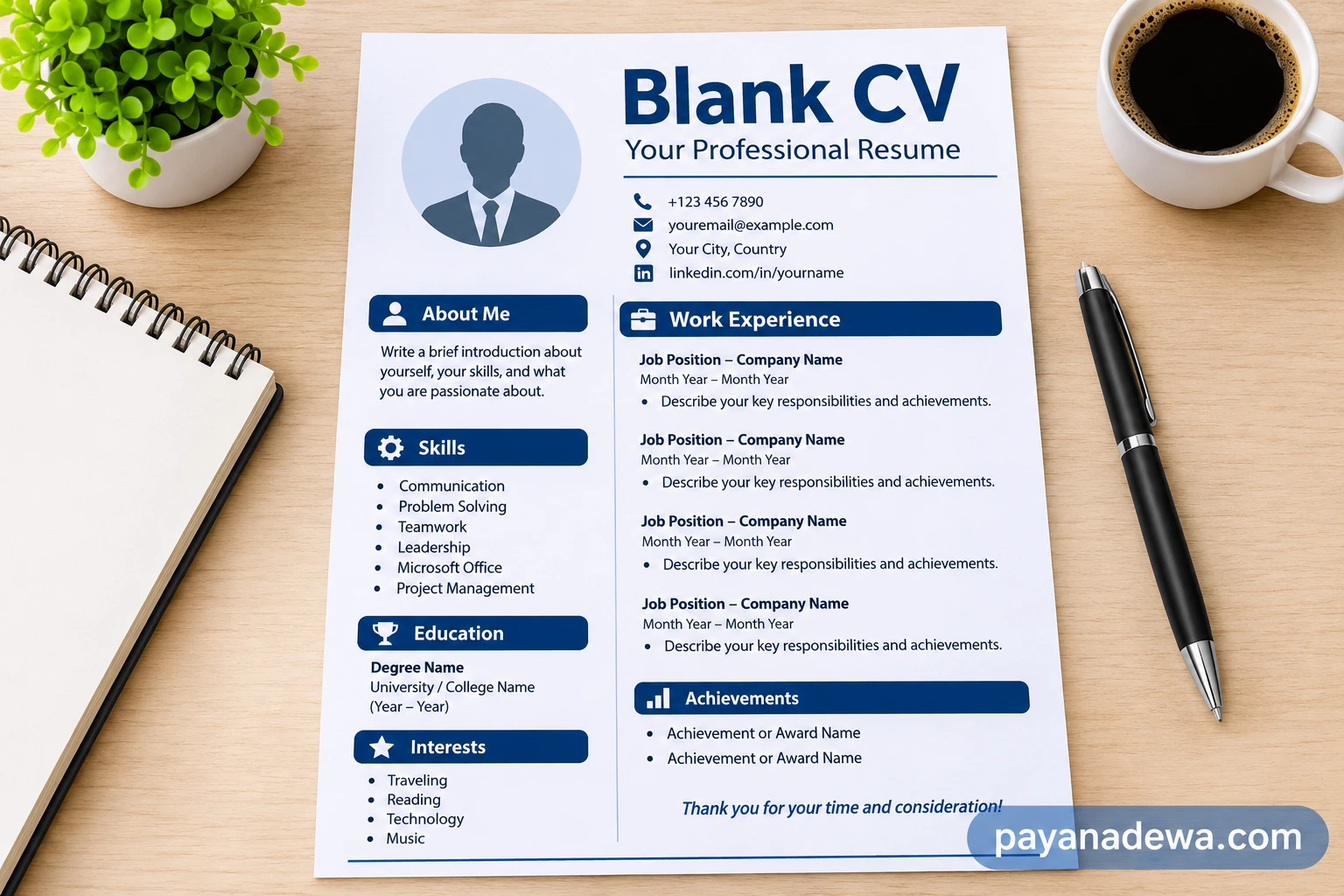
Image Title: Blank CV Template – Clean and Professional Resume Layout
Image Alt:
Image Caption:
Tips for Creating a CV That Gets Noticed
A professional design is important, but the quality of your content matters just as much. Use these practical tips to improve your CV.
Keep the Layout Simple
Avoid excessive colors, decorative graphics, and complicated formatting. Use one or two professional fonts and maintain consistent spacing throughout the document.
Use Relevant Keywords
Many employers use applicant tracking systems (ATS) to organize applications. Including relevant terms from the job description can help your CV communicate your qualifications more effectively.
For example, a project management position may require terms such as project planning, budgeting, team coordination, and risk management. Only use keywords that accurately describe your experience.
Focus on Achievements
Employers want to understand the value you can bring to their organization. Therefore, describe specific contributions and measurable results whenever possible.
Use action verbs such as managed, developed, organized, improved, coordinated, and delivered. These words make your experience more engaging.
Customize Your CV for Each Job
Sending the same CV to every employer is not always the best approach. Review each job advertisement and adjust your professional summary, skills, and experience to match the requirements.
This approach makes your application more relevant and helps recruiters identify your suitability for the position.
Proofread Before Sending
Small mistakes can affect the impression your CV creates. Read the document carefully and ask someone else to review it if possible.
Check that your contact details are correct, your dates are consistent, and every section is easy to understand.
Common CV Mistakes You Should Avoid
Even a well-designed template cannot compensate for unclear or inaccurate information. Avoid these common mistakes when completing your CV.
- Including irrelevant information: Focus on qualifications that support your application.
- Using an unprofessional email address: Choose an email address that includes your name or a professional variation.
- Writing long paragraphs: Use concise sentences and bullet points instead.
- Exaggerating your qualifications: Always provide honest and accurate information.
- Using inconsistent formatting: Keep headings, fonts, dates, and spacing consistent.
- Ignoring the job description: Tailor your CV to the position whenever possible.
- Submitting an outdated document: Update your contact details, skills, and recent experience before applying.
Who Can Benefit from a Blank CV?
A blank CV template is suitable for almost anyone who needs to prepare a professional job application. Its flexible structure makes it useful in different career situations.
Students and Recent Graduates
Students can use a blank CV to highlight education, academic projects, extracurricular activities, internships, and transferable skills. Previous full-time employment is not essential for creating a strong entry-level CV.
Experienced Professionals
Experienced candidates can use a template to organize their employment history, leadership responsibilities, professional achievements, and specialist qualifications.
People Changing Careers
Career changers can emphasize transferable skills and relevant training. For example, customer service experience may demonstrate communication, problem-solving, and relationship management abilities that are useful in other industries.
Freelancers and Self-Employed Professionals
Freelancers can use a blank CV to present their projects, clients, services, and professional accomplishments. A portfolio link can also help demonstrate the quality of their work.
Final Thoughts: Start Building Your Professional CV
A blank CV is a practical starting point for creating a professional job application. It provides a structured layout while giving you the freedom to present your own experience, education, and skills.
By choosing a suitable template, writing clear descriptions, highlighting relevant achievements, and checking your formatting, you can create a CV that communicates your value effectively.
Remember that a good CV is not simply about looking attractive. It should also be accurate, relevant, easy to read, and tailored to the opportunity you are pursuing.
Start with a blank CV template, add your information, and take the next step toward your career goals. A well-prepared CV can help you make a positive first impression and move closer to your next professional opportunity.