A beautiful frame border can transform an ordinary document, photograph, or creative project into something special. Whether you are designing a certificate, creating a printable worksheet, decorating a greeting card, or preparing a professional presentation, the right border adds style, structure, and personality.
Frame borders come in many different styles, from simple and elegant lines to decorative floral patterns and modern geometric designs. Each option offers a unique way to highlight important content while making your work look more polished.
In this guide, you will discover different frame border styles, practical design ideas, and helpful tips for choosing the perfect border. You will also learn how to use printable frame border templates for personal, educational, and professional projects.
What Is a Frame Border?
A frame border is a decorative outline placed around the edges of a page, image, document, or design. Its main purpose is to create a visual boundary that separates the central content from the surrounding space.
However, a frame border does more than simply decorate a page. It helps organize information, directs attention toward important elements, and creates a consistent visual appearance.
For example, a simple black frame border can make a business document look professional. Meanwhile, a colorful floral border can give an invitation or greeting card a cheerful appearance.
Frame borders are commonly used for:
- Certificates and award documents.
- School worksheets and classroom activities.
- Wedding invitations and greeting cards.
- Photo frames and scrapbook pages.
- Business presentations and reports.
- Printable planners and journal pages.
- Posters, announcements, and special event designs.
Because there are so many available styles, finding a suitable frame border for almost any project is easy.
Popular Types of Frame Border Designs
Choosing the right border style is important. A suitable design should complement your content rather than distract readers from it. Here are some popular options to consider.
1. Simple and Minimalist Frame Border
A minimalist frame border uses clean lines, simple shapes, and plenty of white space. This style is ideal for people who prefer an elegant and professional appearance.
Single-line and double-line borders are common examples. They work especially well for certificates, business documents, invitations, and printable worksheets.
Minimalist borders are also easy to print because they usually require less ink than heavily decorated designs.
2. Floral Frame Border
A floral frame border features flowers, leaves, branches, and other botanical elements. It creates a soft, natural, and decorative appearance.
This style is particularly suitable for:
- Wedding invitations.
- Birthday cards.
- Scrapbooking projects.
- Nature-themed worksheets.
- Greeting cards and personal letters.
You can choose colorful flowers for a cheerful design or delicate botanical illustrations for a more sophisticated look.
3. Elegant Frame Border
An elegant frame border often includes decorative corners, thin gold or silver lines, ornamental details, and balanced patterns.
These designs are excellent for certificates, formal invitations, achievement awards, and special announcements.
For a luxurious appearance, combine navy blue, gold, cream, or white. Keep the central area simple so that the main message remains easy to read.
4. Geometric Frame Border
Geometric borders use repeating shapes such as circles, squares, triangles, and abstract patterns. They offer a modern appearance that works well for contemporary designs.
They are especially useful for educational materials, creative presentations, posters, and digital graphics.
5. Vintage Frame Border
Vintage frame borders feature classic decorative details, ornamental curves, antique-inspired patterns, and traditional illustrations.
They are a great choice for retro invitations, historical projects, certificates, and decorative printable pages.
Frame Border Template for Printable Projects
A frame border template is a ready-made design that you can use to decorate documents without creating everything from scratch. Instead of drawing borders manually, simply choose a template that matches your project.
Printable templates are especially useful for students, teachers, designers, office workers, and anyone who enjoys creating attractive documents.
Here is an example of a decorative frame border template featuring elegant navy blue and gold details.
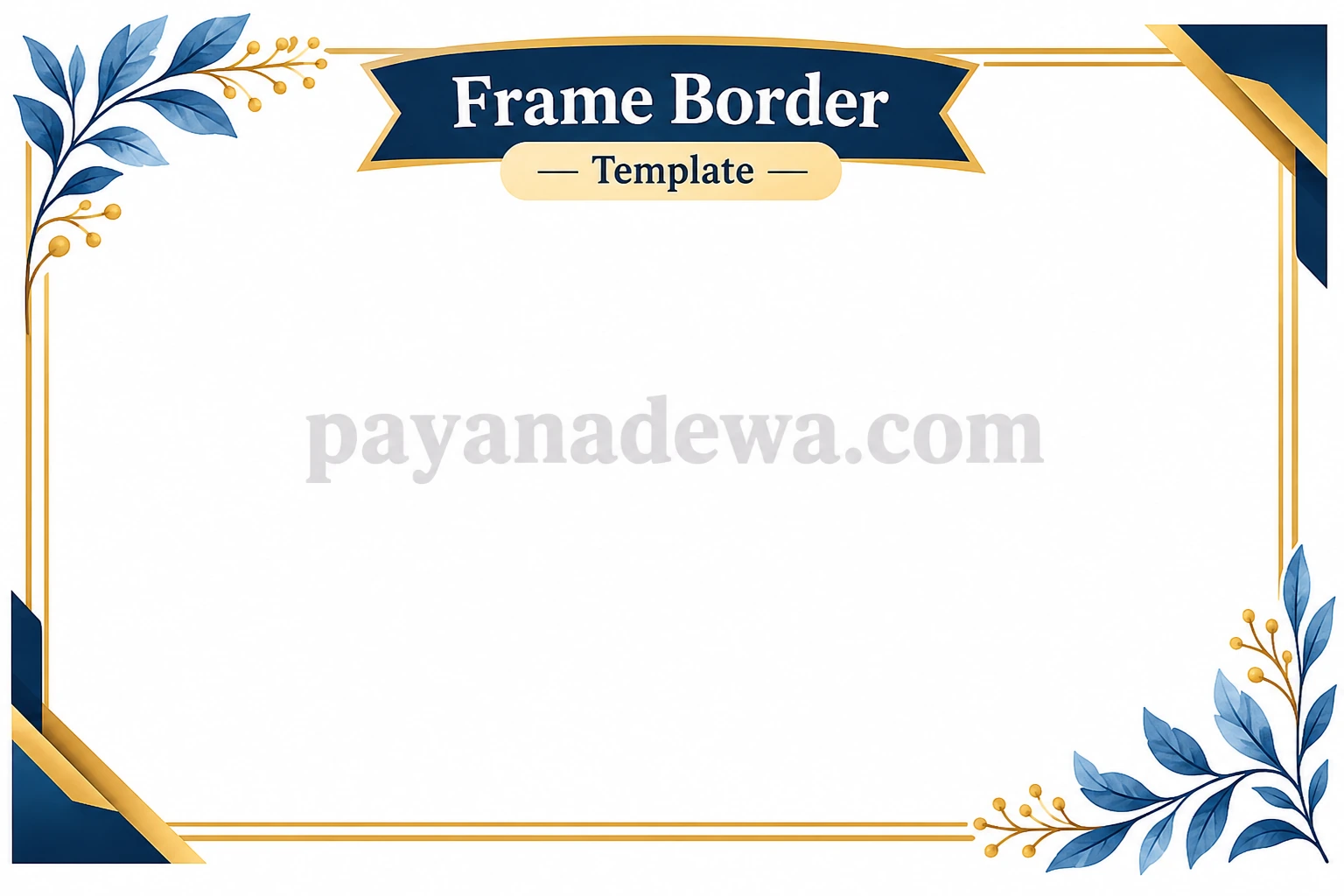
A printable frame border can save time while helping you maintain a consistent design. You can use the same style across several pages to create a coordinated collection of documents.
How to Choose the Best Frame Border
Not every border works for every project. The best design depends on your purpose, audience, and preferred visual style.
Consider Your Project Type
Start by identifying what you are creating. A school worksheet needs a different border from a wedding invitation or business certificate.
- For school projects: Choose colorful, playful, or simple borders.
- For certificates: Select elegant borders with balanced decorative details.
- For business documents: Use minimalist and professional designs.
- For invitations: Consider floral, vintage, or ornamental patterns.
- For photographs: Choose a border that complements the image colors.
Pay Attention to Colors
Color selection can significantly affect the overall appearance of your design. Choose colors that complement your content and create a consistent visual theme.
For example, black and white create a timeless appearance. Gold and navy blue offer a luxurious impression, while pastel colors provide a softer and friendlier style.
Avoid using too many bright colors in one design. A limited color palette usually creates a cleaner result.
Leave Enough Space for Content
A decorative frame should enhance your content, not compete with it. Make sure the border does not cover text, images, or other important elements.
Choose a template with enough space in the center, especially when designing certificates, worksheets, or documents containing long paragraphs.
How to Create a Frame Border in Microsoft Word
You do not need advanced graphic design skills to create a beautiful frame border. Microsoft Word provides built-in tools that make the process straightforward.
Follow these steps:
- Step 1: Open Microsoft Word and create a new document.
- Step 2: Select the Design tab from the top menu.
- Step 3: Find the Page Borders option.
- Step 4: Open the Borders and Shading settings.
- Step 5: Select the Box setting to create a border around the page.
- Step 6: Choose your preferred line style, color, and width.
- Step 7: Adjust the border settings and apply them to the document.
- Step 8: Preview your document before printing.
You can also explore decorative Art borders if your version of Word supports them. These options provide additional styles for creative documents and special occasions.
Tips for Printing Frame Border Templates
A well-designed border should also look good when printed. Before sending your document to the printer, consider a few important details.
Choose the Correct Paper Size
Make sure your template matches the paper size you plan to use. A4 and US Letter are common options for printable documents.
Incorrect page dimensions can cause borders to become cropped or incorrectly positioned.
Check Printer Margins
Many printers cannot print directly to the very edge of a sheet. This means that a border placed too close to the paper edge may disappear during printing.
Leave enough space around the design to accommodate your printer’s printable area. If you need a full-page border, check whether your printer supports borderless printing.
Use High-Quality Files
For the best results, use a high-resolution image or a vector-based template whenever possible. Low-quality images may appear blurry, especially when enlarged.
PNG and PDF formats are useful for many printable designs. Meanwhile, SVG files are excellent when you need scalable vector graphics.
Preview Before Printing
Always check the print preview before printing multiple copies. Look for uneven spacing, missing decorative details, and text that overlaps the border.
Printing one test page first can help you avoid wasting paper and ink.
Creative Ways to Use Frame Borders
Frame borders are not limited to traditional documents. With a little creativity, you can use them in many different projects.
Educational Materials
Teachers can use colorful frame borders to make worksheets, classroom posters, activity sheets, and learning materials more engaging.
Personal Invitations
Decorative borders can make birthday invitations, wedding announcements, and holiday greeting cards feel more personal. Choose a style that matches the event theme.
Certificates and Awards
A professional frame border gives certificates a more formal appearance. Gold details, classic lines, and ornamental corners are popular choices.
Scrapbooking and Journaling
Use creative frame borders to decorate scrapbook pages, personal journals, memory books, and photo collections. Mixing different styles can add visual interest while keeping each page organized.
Common Frame Border Design Mistakes to Avoid
Even a beautiful border can look unprofessional if it is not used correctly. Avoid these common mistakes when creating your design.
- Using excessive decoration: Too many details can make the page look crowded.
- Choosing unsuitable colors: Colors that clash with your content can reduce readability.
- Ignoring spacing: Borders that are too close to text can make documents uncomfortable to read.
- Using low-resolution images: Blurry graphics can reduce the overall quality of printed materials.
- Forgetting print margins: Borders placed too close to the edge may be cut off.
- Mixing too many styles: Combining unrelated patterns can make a design look inconsistent.
The best approach is to keep your design balanced. A simple, well-positioned frame border often looks better than an overly complicated one.
Conclusion
A frame border is a simple yet effective way to improve the appearance of documents, invitations, certificates, photographs, and creative projects. With so many styles available, you can easily find a design that matches your needs.
From minimalist outlines and floral decorations to elegant gold details and geometric patterns, every frame border offers a different visual experience. The key is to choose a design that complements your content while maintaining good spacing and readability.
Whether you create your own design in Microsoft Word or use a ready-made printable frame border template, a carefully selected border can make your work look more attractive and professional.
Explore different frame border ideas, experiment with colors and patterns, and create beautiful printable designs that make every project stand out.