A special event deserves more than a simple announcement. Whether you are preparing for a product launch, business promotion, birthday celebration, online event, or limited-time offer, building excitement before the big day can make a significant difference. One effective way to capture attention is by creating a Countdown Facebook Post.
A countdown post gives your audience something to look forward to. Instead of sharing all the information at once, you can publish regular updates that remind followers about an upcoming occasion. This approach helps maintain interest, encourages interaction, and creates anticipation among your Facebook audience.
With an attractive countdown design, clear messaging, and consistent posting schedule, you can turn an ordinary announcement into an engaging social media campaign. You do not need advanced graphic design skills to get started. A simple template and a creative idea are often enough.
In this guide, you will discover how to create an effective Facebook countdown, explore practical design ideas, and learn useful strategies to make your posts more engaging.
What Is a Countdown Facebook Post?
A Countdown Facebook Post is a social media update designed to show how much time remains before a particular event, announcement, promotion, or special occasion. It usually includes a date, countdown numbers, attractive graphics, and a short message encouraging people to stay interested.
For example, a business preparing to launch a new product might publish a countdown showing that only five days remain. The following day, another post can reveal a product feature or share a behind-the-scenes preview.
Countdown posts work well because they create anticipation. Rather than asking followers to remember one announcement, you give them several opportunities to notice and engage with your upcoming activity.
Why Are Countdown Posts Effective?
Countdown content offers several advantages for personal accounts, creators, and businesses.
- Builds anticipation: Regular updates make followers curious about what is coming.
- Improves visibility: Multiple posts create additional opportunities for people to discover your announcement.
- Encourages interaction: Questions, comments, and sharing can make your countdown more engaging.
- Creates urgency: A clearly displayed deadline reminds people that an opportunity will not last forever.
- Supports promotion: Countdown graphics help communicate important dates and event information.
Popular Occasions for a Facebook Countdown Post
One of the best things about countdown posts is their flexibility. You can adapt the design and message to almost any occasion. The key is to choose a countdown theme that matches your audience and the purpose of your announcement.
1. Product Launches
Product launches are excellent opportunities to use countdown graphics. Start with a simple announcement several days before the release. Then share product details, previews, and special features as the launch date approaches.
For example, your first post might say, “Something exciting is coming in five days!” Your next updates can reveal additional details without giving everything away.
2. Business Promotions and Sales
Businesses can use countdown posts to promote seasonal discounts, special offers, and limited-time campaigns. A message such as “Only 3 Days Left!” immediately communicates that customers have limited time to participate.
Include the promotion deadline, important conditions, and a clear call to action. This makes the post easier to understand and helps customers decide what to do next.
3. Birthdays and Personal Celebrations
Countdown posts are also popular for birthdays, anniversaries, weddings, and family celebrations. You can use colorful graphics, personal photographs, and cheerful messages to make the occasion feel more special.
For personal events, consider using a friendly tone that encourages friends and family members to leave comments or share their excitement.
4. Online Events and Webinars
If you are organizing a webinar, online class, live presentation, or virtual gathering, a countdown can remind participants about the scheduled time.
Make sure your posts include the event date, starting time, time zone, and registration information when necessary. Clear details reduce confusion and help people prepare.
How to Create an Attractive Countdown Facebook Post
A successful countdown design should be visually appealing while remaining easy to read. You do not need complicated graphics or excessive decorations. Focus on a few important elements that communicate your message clearly.
1. Choose a Clear Countdown Theme
Start by deciding what you want to promote. Your design should reflect the occasion. A product launch might use modern graphics, while a birthday countdown could feature playful colors and decorative elements.
Choose a consistent visual style so your audience can recognize your countdown updates throughout the campaign.
2. Use Large and Readable Numbers
The countdown number should be one of the most noticeable elements in your design. Use a clear font, sufficient spacing, and strong contrast between the text and background.
For example, displaying “5 DAYS LEFT” in large lettering is more effective than hiding the countdown inside a long paragraph.
3. Add an Attractive Background
Your background should support the main message rather than compete with it. Use simple colors, subtle patterns, or relevant illustrations.
Blue and white can create a clean, professional appearance. Bright colors may work better for celebrations, entertainment, and special promotions.
4. Include a Strong Call to Action
A countdown post should encourage your audience to take a meaningful next step. Depending on your goal, you can invite people to follow your page, register for an event, visit your website, or share the announcement.
Some effective examples include:
- “Stay tuned for the big announcement!”
- “Follow our page so you don’t miss the launch.”
- “Register today and save your spot.”
- “Share this post with your friends!”
- “Get ready! The countdown has started.”
Countdown Facebook Post Template and Design Inspiration
Using a ready-made template can save time and make your social media content look more professional. Instead of starting from a blank page, you can work with an existing layout and customize the text, colors, and countdown details.
A good countdown template should include a prominent headline, a clear countdown area, an attractive visual element, and space for a short promotional message.
Here is an example of a clean Facebook countdown design that you can use as inspiration for your next social media campaign.
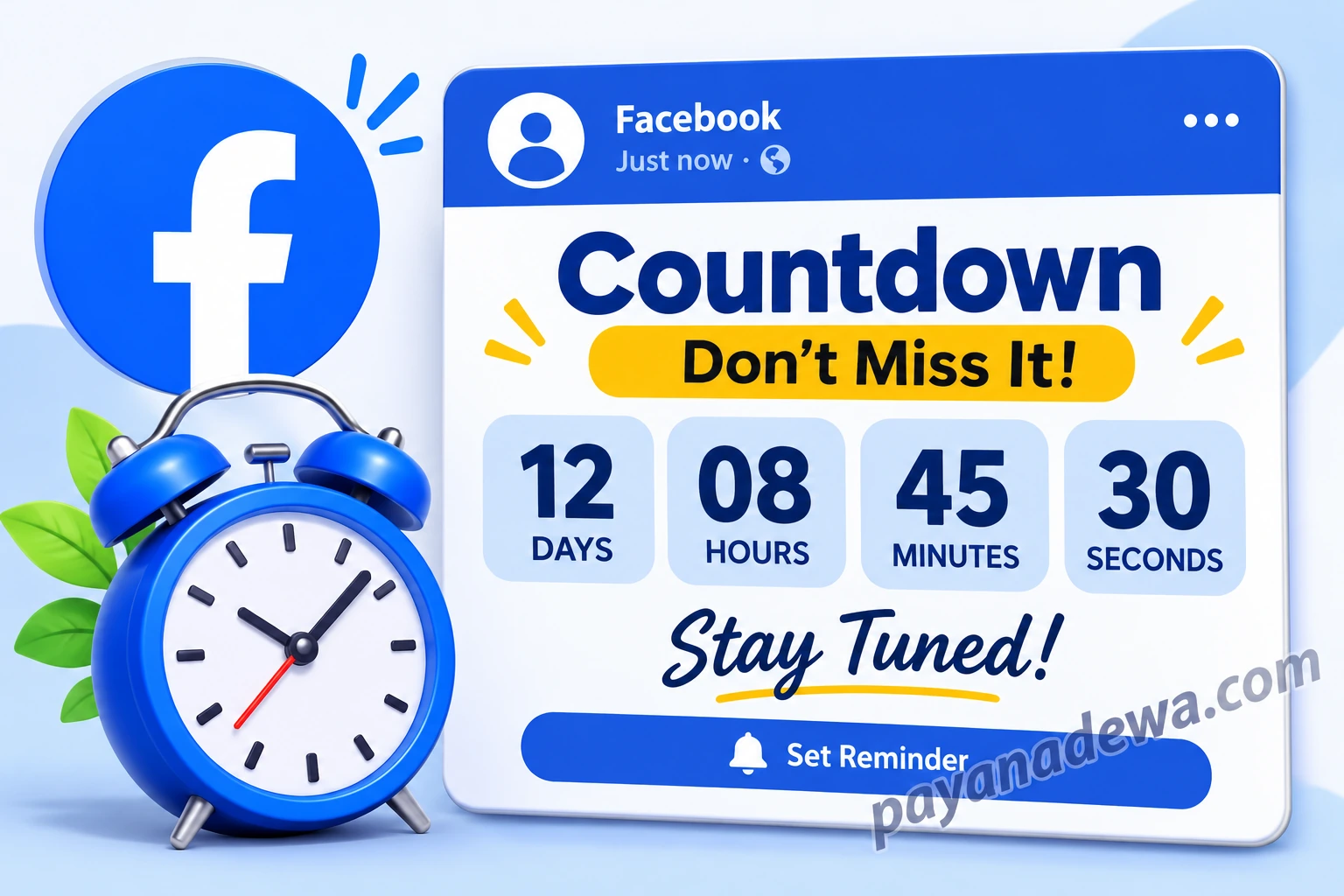
Customize the Template for Your Needs
You can easily adapt a countdown design to match your campaign. Consider changing these elements:
- Headline: Replace the default heading with your event or campaign name.
- Countdown numbers: Update the remaining days, hours, or minutes when appropriate.
- Colors: Match the background and text to your brand identity.
- Images: Add product photographs, event illustrations, or relevant decorations.
- Website or logo: Include your branding so viewers can recognize the source of the announcement.
Keep the layout simple and avoid adding too many decorative elements. A balanced design makes your message easier to understand on both desktop and mobile screens.
Creative Countdown Facebook Post Ideas
If you want your countdown campaign to feel fresh, avoid publishing exactly the same design every day. Instead, introduce small variations that give followers something new to discover.
Share a Daily Preview
Reveal a small piece of information with each update. For a product launch, you might show a close-up photograph, highlight one feature, or share a short demonstration.
Ask Your Audience Questions
Questions are an easy way to encourage comments. For example, ask followers what they expect from your upcoming product or which feature they are most excited to see.
Use Behind-the-Scenes Content
Show your preparation process, workspace, packaging, or event arrangements. Behind-the-scenes content can make your countdown feel more personal and authentic.
Celebrate the Final Day
When the countdown reaches its final day, publish a more noticeable announcement. Use a direct headline such as “Tomorrow Is the Big Day!” or “Launching Today!” to emphasize the occasion.
Best Practices for Publishing Facebook Countdown Posts
Good design is important, but your publishing strategy also matters. A well-planned countdown campaign gives your audience enough reminders without overwhelming their feeds.
Create a Posting Schedule
Choose a schedule that fits the importance of your event. A seven-day countdown might include an initial announcement, a few progress updates, a final-day reminder, and the main launch announcement.
You do not necessarily need to publish every hour. Consistency and useful content are more valuable than posting repeatedly without a clear purpose.
Use the Correct Image Dimensions
Design your graphics with Facebook’s supported image formats and display requirements in mind. A square image can work well for feed content, while landscape designs may be useful for certain promotional layouts.
Always preview your design on mobile devices. Check that the text remains readable and that important information is not cropped.
Write Short and Engaging Captions
Your caption should explain what is happening and why people should care. Keep the main message near the beginning so readers can understand it quickly.
Use relevant hashtags naturally when they help people discover your content. Avoid adding too many unrelated hashtags.
Track Your Post Performance
After publishing, review the available Facebook insights and engagement data. Pay attention to reactions, comments, shares, reach, and link clicks when applicable.
These results can help you understand which countdown designs and messages attract the most attention. Use that information to improve your next campaign.
Common Mistakes to Avoid
Even a visually attractive countdown can become ineffective if the information is confusing or the campaign is poorly planned. Avoid these common mistakes:
- Using unclear dates: Always provide the correct event date and relevant time zone.
- Overloading the design: Too much text and decoration can distract from the countdown.
- Posting without a purpose: Every update should provide useful information or build anticipation.
- Forgetting the final announcement: Make sure you publish the actual event or launch update when the countdown ends.
- Using misleading deadlines: Keep promotional dates accurate and update your information when plans change.
- Ignoring mobile users: Make sure important text and graphics remain visible on smaller screens.
Conclusion
A Countdown Facebook Post is a practical way to build excitement, promote upcoming events, and keep your audience informed. With a clear message, attractive graphics, and a consistent publishing schedule, you can turn a simple announcement into an engaging social media campaign.
Whether you are promoting a new product, organizing a special event, celebrating a birthday, or announcing a limited-time offer, a countdown template can make your content more organized and visually appealing.
Start with a simple design, customize it to match your purpose, and give your audience something interesting to look forward to. Remember that successful social media content is not just about appearance. It is also about delivering the right message at the right time.
Have you ever used a countdown design for your Facebook page? Share your favorite ideas and experiences in the comments. Your suggestions might inspire someone else’s next social media campaign!